Contents
- Fanvue AI Tools Compared
- Fanvue Higgsfield Studio: Production Inside the Platform
- AI Voice Calls and Voice Notes Solve Different Problems
- AI Analytics and Earning Insights: From Data to a Testable Question
- Fanvue Creator Agent: Assistance, Actions and Approval
- Fanvue AI Self: The Shared Configuration Layer
- Three Ways to Connect the Stack
- How Fanvue Feature Statuses Differ
- Common Misunderstandings About the Stack
- Practical Verdict: Start With One Measurable Workflow
Fanvue AI tools form a modular creator stack for producing visual content, communicating with fans, scheduling account activity and interpreting performance data. The six main components are Higgsfield Studio, AI Voice Calls, AI Voice Notes, AI Analytics & Earning Insights, Creator Agent and AI Self.
Each component has its own role and availability. Higgsfield Studio is an integration accessed through Fanvue Apps. Voice Notes, Insights and Creator Agent are documented dashboard capabilities. AI Self supplies personality and voice settings, while AI Voice Calls remain rollout- or account-dependent. Creators still choose what to publish, review generated messages and audio, and decide how to act on analytics.
The availability assessment below was checked against Fanvue’s public documentation on November 10, 2026. Access can vary, so the Apps area and creator dashboard provide the clearest answer for an individual account.
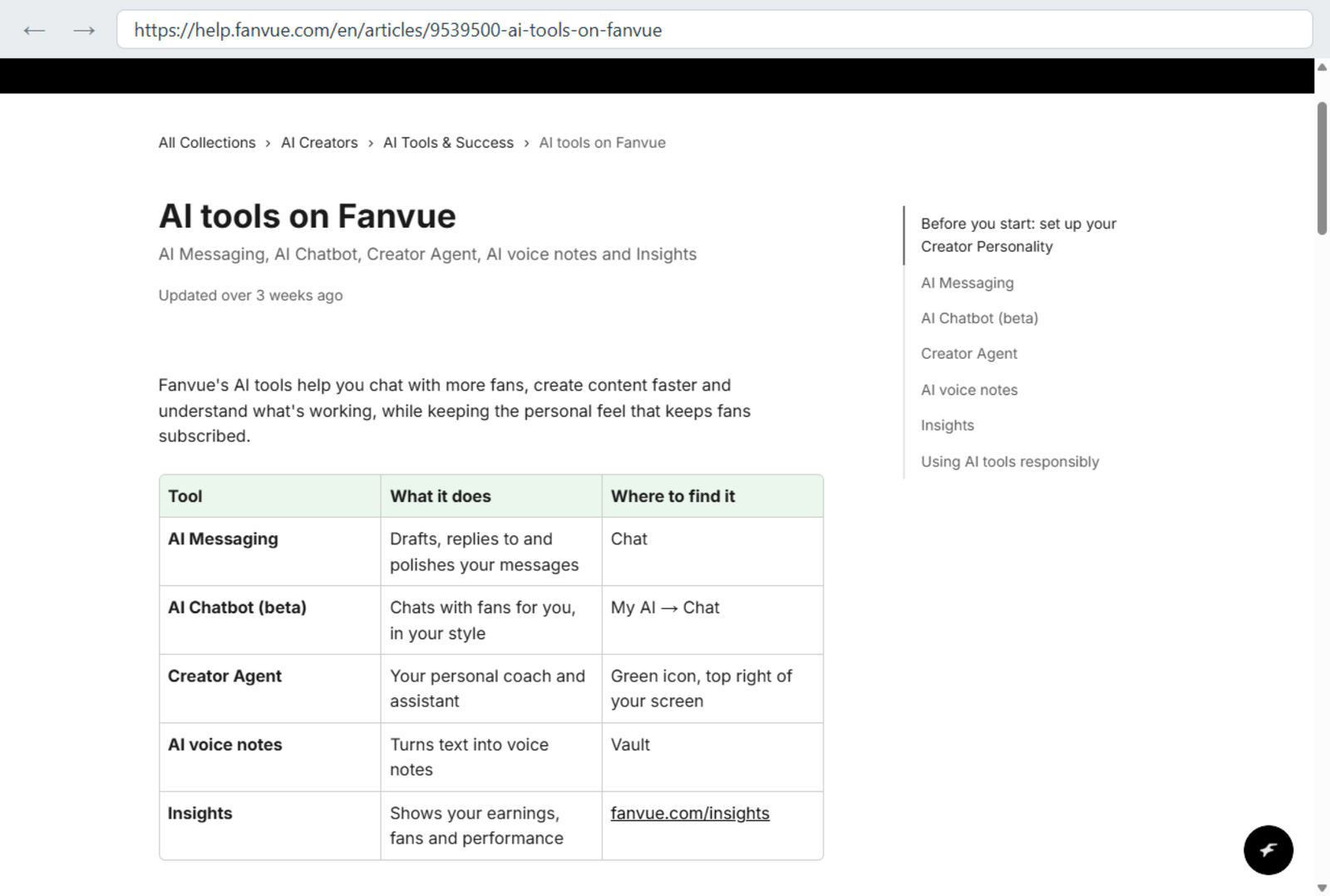
Fanvue AI Tools Compared
| Feature | What it does | Setup | Creator input | Output | Best use case | Current documented status |
|---|---|---|---|---|---|---|
| Higgsfield Studio | Provides AI image and video generation inside Fanvue using supported Higgsfield capabilities | Open Apps, enter Higgsfield Studio and use Fanvue-linked billing or credits | Prompt, reference material and supported generation choices | Generated media delivered to the Fanvue Vault | Producing visual assets without moving files between separate accounts | Fanvue Apps integration; not every feature from the wider Higgsfield product is included |
| AI Voice Calls | Extends creator–fan interaction into an AI-assisted call experience using configured personality and voice information | Configure AI Self, then confirm whether call controls are enabled for the account | Personality settings, voice setup and supported call configuration | A voice-based fan interaction rather than a saved message | Offering eligible fans a more conversational voice experience | Rollout/account-dependent; the homepage calls it “New,” while Fanvue’s feature article still says calls are “coming soon” |
| AI Voice Notes | Converts typed text into audio using an AI voice or a cloned creator voice | Prepare an allowed voice, then create the note from the Vault | Written message and selected voice | Reviewable audio saved for use in fan messages | Sending personalized asynchronous audio without recording every note manually | Documented native Vault capability |
| AI Analytics & Earning Insights | Organizes earnings, subscriber and content-performance information | Open Insights in the creator dashboard; useful results depend on available account data | Date range, account activity and the question being investigated | Performance views and patterns for further analysis | Finding changes worth investigating or testing | Documented native dashboard capability |
| Creator Agent | Analyzes creator statistics, flags issues, recommends actions and assists with posts, automations and fan messages | Open the green Agent icon in the creator dashboard and provide a clear request | Account data, goals, instructions and approval decisions | Recommendations, drafts, schedules or supported dashboard actions | Coordinating routine account work while keeping creator approval | Documented native dashboard capability; individual messaging modes or actions may roll out separately |
| AI Self | Stores the creator’s communication style and digital voice through AI Personality and AI Voice settings | Complete personality preferences and create a voice from a recording or written description where supported | Tone, interests, fan-address preferences, context and voice material | Reusable personality and voice configuration for connected features | Keeping assisted messages and voice interactions more consistent | Documented dashboard setup layer; its practical outputs depend on access to connected features |
Fanvue Higgsfield Studio: Production Inside the Platform
Fanvue describes Higgsfield Studio as “an AI image and video generation tool” available directly inside Fanvue. Creators reach it through the Apps section. It remains an integration, with Higgsfield providing the generation technology used in the Fanvue workflow.
The process is straightforward: choose an idea, enter a supported prompt or reference input, generate the asset, review it and move the approved result into publishing. Finished generations go directly to the Fanvue Vault, where they can be organized, priced or prepared for a post. Billing also runs through the creator’s Fanvue account, so this workflow does not require a separate Higgsfield account.
The integration covers only part of the standalone Higgsfield product. Fanvue says it includes capabilities exposed through Higgsfield’s API, while Marketing Studio and Cinema Studio are excluded from the current version. Check the available controls before building a campaign around a particular model or generation mode.
Start with a content purpose instead of an open-ended prompt. An asset might introduce a new theme, provide a subscriber preview or support a scheduled campaign. Review it against practical criteria: character consistency, readable details, appropriate framing and fit with the planned post. If the integrated options do not suit a photo-led project, these AI video-production alternatives offer other workflows to compare.
AI Voice Calls and Voice Notes Solve Different Problems
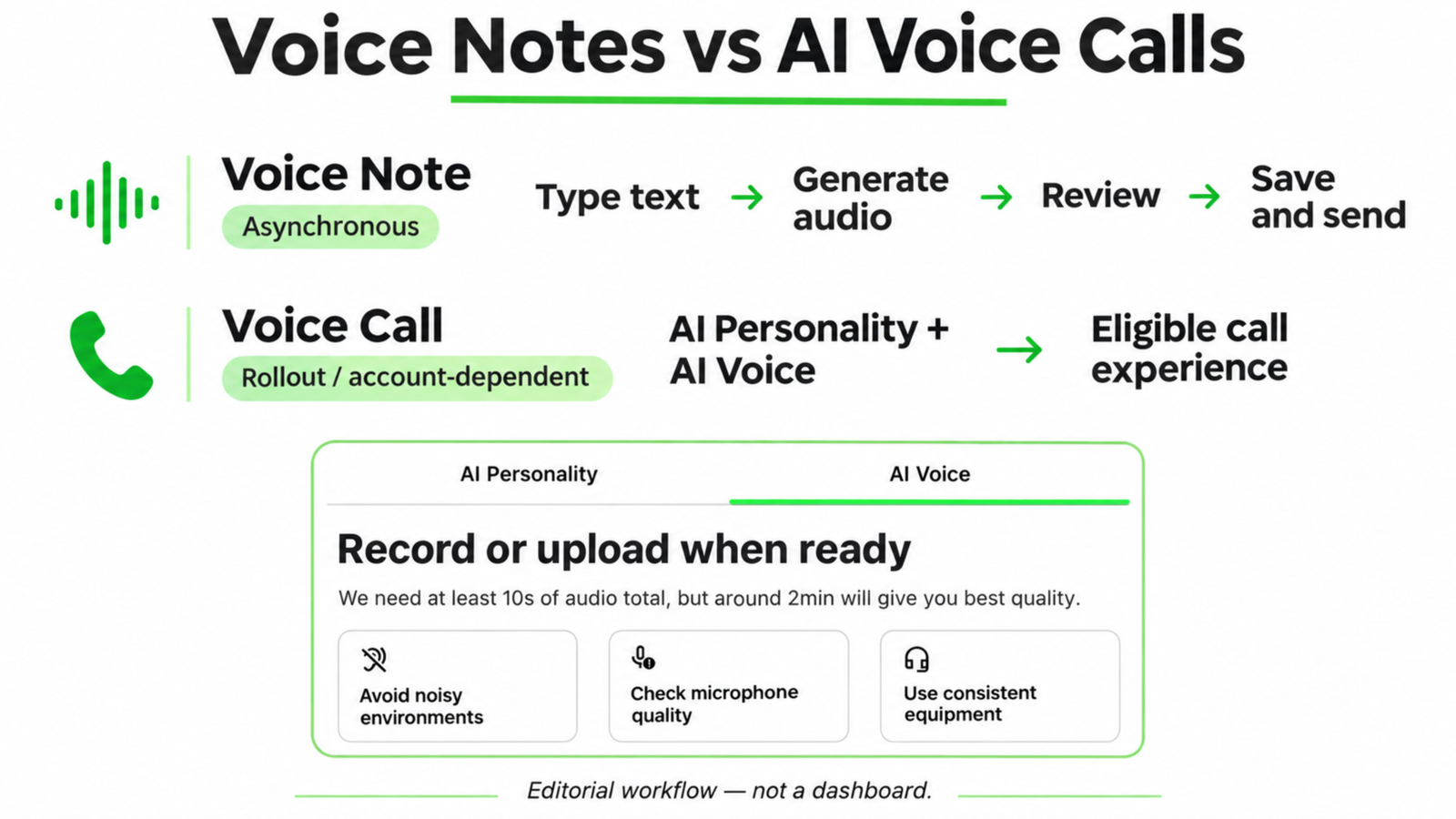
Fanvue AI Voice Calls are presented as a conversational experience powered by a creator’s configured AI Personality and AI Voice. Fanvue’s public description outlines a fan call flow and related creator controls, although its availability language varies across the site. The homepage labels AI Voice Calls as “New,” while the February 2026 feature article says they “will soon be coming to Fanvue.” The main AI-tools help page also omits calls from its list of currently documented tools.
This points to a rollout-sensitive capability whose availability may differ by account. Before advertising a call-based offer or including it in a subscription package, confirm that the relevant call controls appear in the dashboard.
AI Voice Notes are a separate, asynchronous messaging tool already covered in Fanvue’s documentation. The creator types a message, selects an AI voice or cloned creator voice, generates the audio, reviews it, saves it and sends it in a supported fan conversation. The fan receives a prepared audio message rather than entering a live or call-like interaction.
A reliable Voice Note workflow is:
- Choose the permitted voice that fits the account and conversation.
- Write the message for speech, using shorter sentences and natural phrasing.
- Generate the audio in the Vault.
- Listen for names, pronunciation, pacing, emotional tone and conversational context.
- Correct the text or voice choice when necessary, then regenerate, save and send.
Review is important because grammatical text can still sound awkward when spoken. A fan’s name may be mispronounced, an enthusiastic delivery may feel wrong in a sensitive reply, or written punctuation may create unnatural pauses. Voice Notes reduce repeated recording work, while the creator remains responsible for the final message.
AI Analytics and Earning Insights: From Data to a Testable Question
Fanvue Insights is the performance layer of the stack. Its documented coverage includes earnings and stronger-performing days, subscriber location, renewals, pay-to-view sales, tips and comparative account performance. The level of detail depends on account activity and the current dashboard view.
Turn broad observations into narrow questions. Suppose pay-to-view revenue rose during a week when the creator published more frequently. The pattern alone cannot show that posting frequency caused the increase. Subject matter, timing, audience mix, promotion or a few unusually valuable purchases may also have contributed.
A more useful question is: “Did posts published at this time receive stronger paid engagement than similar posts published at another time?” The creator can change one element, keep the other major variables reasonably stable and compare the resulting dashboard data. Insights shows what may deserve attention; it cannot guarantee that a particular action will increase earnings.
Fanvue Creator Agent: Assistance, Actions and Approval
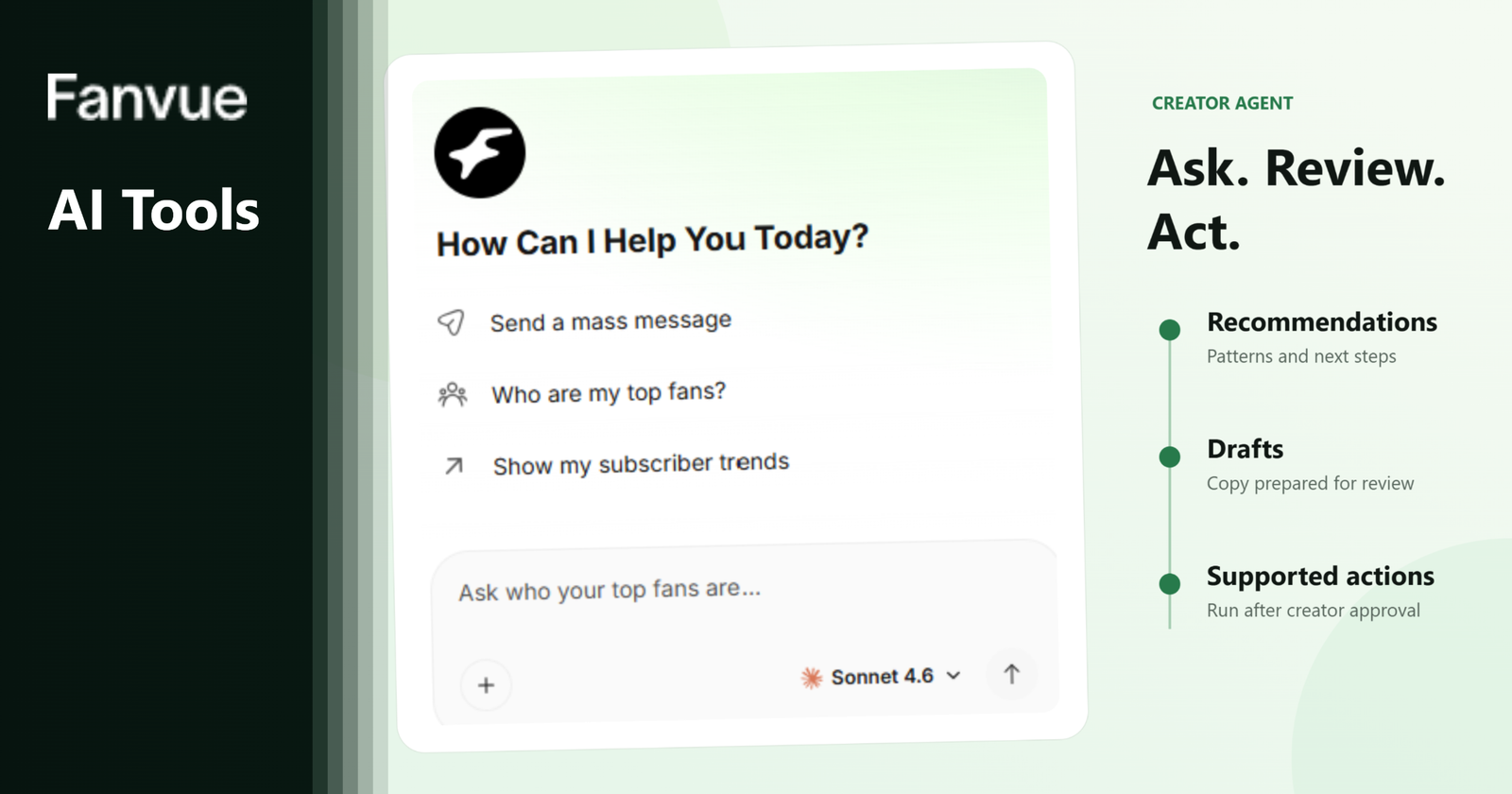
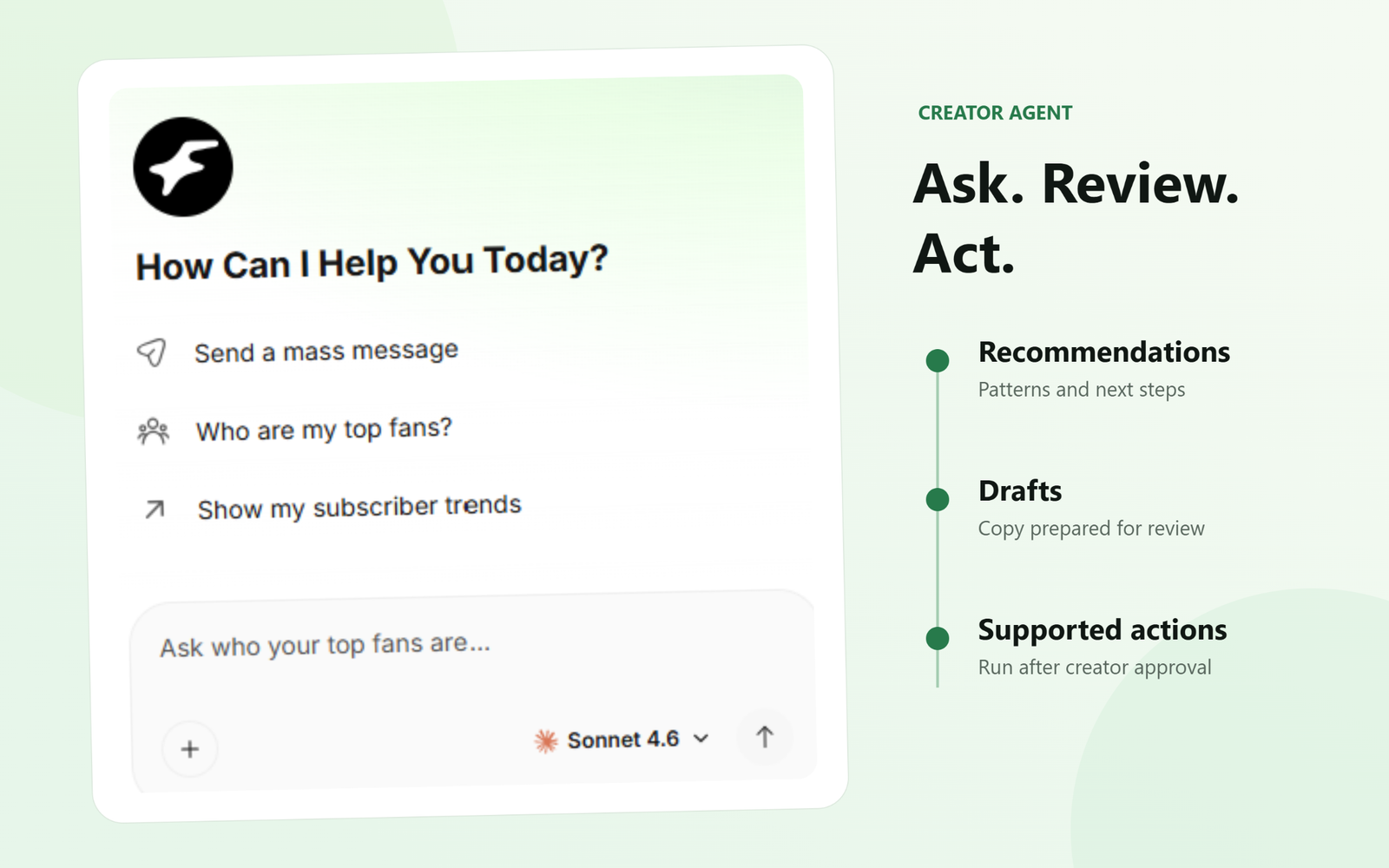
Fanvue calls Creator Agent a personal “coach and assistant.” It can analyze creator statistics, highlight problems, recommend actions, assist with fan messages, help schedule posts and build supported automations. Creators open it through the green icon at the top right of the dashboard.
Its capabilities cover several levels of involvement:
- Advice: The Agent identifies a pattern or suggests what to examine.
- Drafting: It prepares proposed post copy or a fan reply for review.
- Scheduling: An approved post receives a future publishing time.
- Triggered automation: A configured event starts a defined message or action sequence.
- Execution: A supported dashboard action runs under the creator’s instructions and available controls.
These functions do not mean the Agent independently operates an entire account. Fanvue’s automated-message documentation describes editable messages, delays, attachments and interruption rules. Some AI Messaging modes also roll out gradually. The creator still decides which conversations need personal attention and whether a proposed action fits the account’s goals.
Creator Agent also serves a different purpose from a consumer companion chatbot. Products compared in SpicyChat vs Candy AI focus on an ongoing conversation between the user and an AI character. Fanvue Creator Agent works with creator data, publishing tasks and fan communications as an account-management assistant.
Fanvue AI Self: The Shared Configuration Layer
Fanvue AI Self is easiest to understand through the two settings Fanvue publicly describes: AI Personality and AI Voice.
AI Personality stores information such as communication style, personality, interests and preferences for addressing fans. AI Voice provides the digital voice used by supported features. Where the dashboard permits it, the voice can be configured from a recording or a written description. These settings give connected tools a consistent basis for generating text or audio.
AI Self functions as a configuration layer. Voice Notes, messaging assistance and eligible Voice Calls are the features that use or may use those settings. Completing the setup does not confirm that every connected feature is enabled for the account, and the name does not imply a fully autonomous digital replacement for the creator.
Specific guidance produces more useful results than a list of vague adjectives. “Friendly” offers little direction on its own. Better instructions can define preferred greetings, sentence length, humor style, subjects to avoid and the difference between casual and premium-fan communication.
Three Ways to Connect the Stack
1. Content production and scheduling
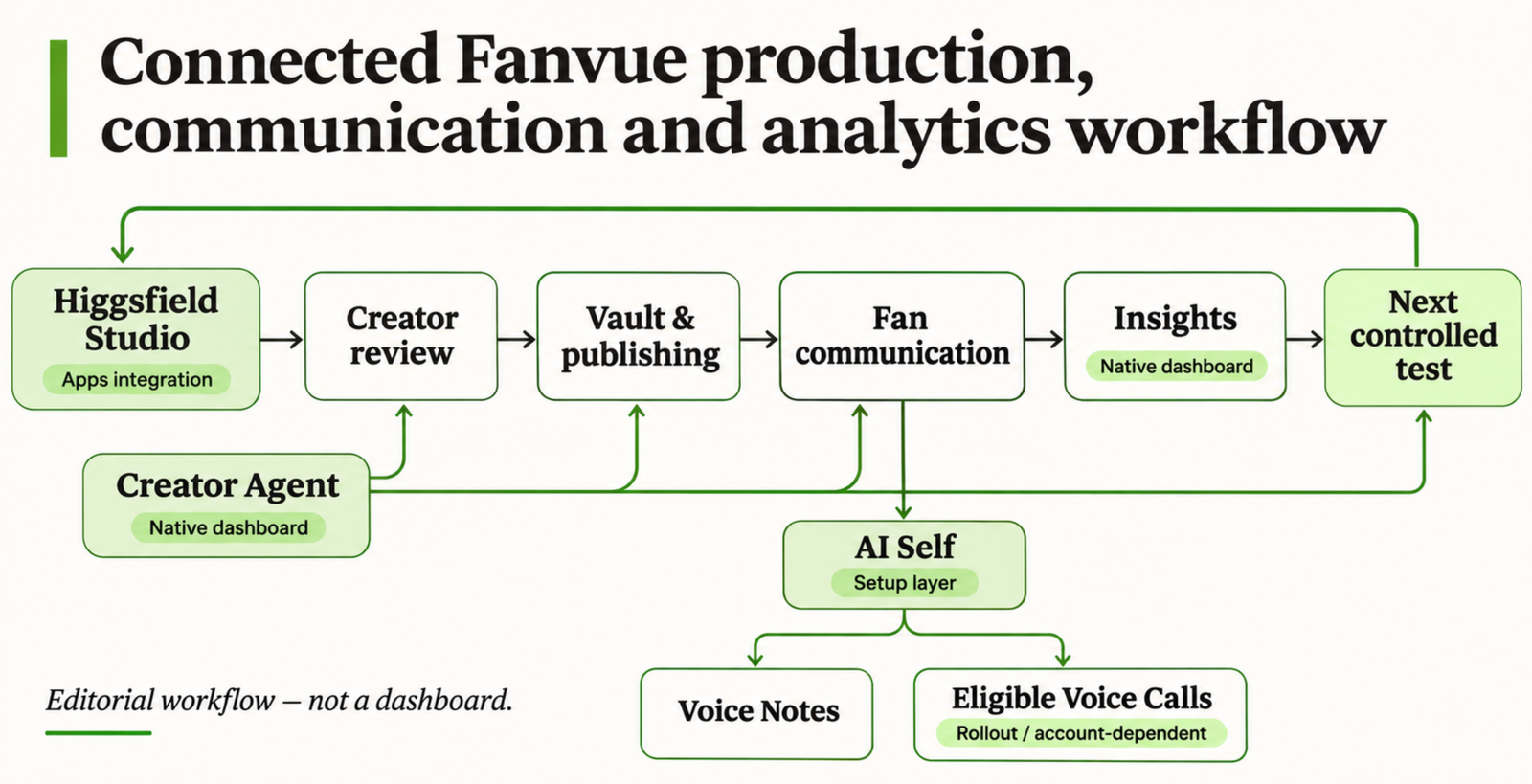
Begin with one content objective and a few acceptance criteria. Use Fanvue Higgsfield Studio, where available, to generate or adapt suitable media. Check the result for consistency, unwanted artifacts, supported format and fit with the account. Save the approved asset in the Vault, prepare the caption and ask Creator Agent to help schedule the post.
Generation creates a candidate asset. The creator approves the media and message, and scheduling determines when the finished post appears. Publication still depends on those review decisions.
2. Fan communication with optional voice
Use Creator Agent to identify a conversation that needs attention or to draft a response from the available context. Edit the wording so that it addresses the fan’s actual message. When audio would add value, turn the final text into an AI Voice Note, listen to it and send it after review.
AI Voice Calls follow a separate path. Eligible accounts may use them for a more conversational voice experience. They should not be treated as extended Voice Notes or promised before dashboard access is confirmed.
3. Revenue review and a controlled change
Open Insights and identify one pattern, such as a difference in renewals, paid-message performance or earnings by day. Ask Creator Agent to propose possible responses, then choose one measurable change—for example, testing a different publication time for a comparable content format.
Schedule the change, allow enough relevant account activity to accumulate and compare the later data with the previous period. Record what changed so the result can be interpreted. An improvement can justify further testing, but it cannot establish that the selected variable was the only cause.
How Fanvue Feature Statuses Differ
A native dashboard capability is documented as part of Fanvue’s own creator interface. Voice Notes, Insights and Creator Agent currently fall into this category. The label identifies where the feature sits; it does not guarantee that every sub-feature is active on every account.
A marketplace or Apps integration connects software supplied through another product or provider. Higgsfield Studio fits this category. Its placement inside Fanvue simplifies the workflow, although Fanvue does not include every standalone Higgsfield capability.
A beta or staged rollout reaches selected users before universal release. Individual messaging modes and AI Voice Calls may have this kind of availability condition. Dashboard- or account-dependent features can vary according to rollout, account configuration or another eligibility condition. Agencies should check each managed account separately because access on one account may not reflect access on another.
Connected providers may also apply different prompt rules, media formats and generation limits. This overview of why AI systems impose NSFW restrictions explains why a format accepted by Fanvue may still encounter a provider-specific restriction. Check Fanvue’s current rules and the connected tool’s supported inputs before production.
Common Misunderstandings About the Stack
The six tools have different setup requirements and availability states. AI Self configuration may support several experiences without unlocking every feature. Voice Notes generate audio messages, while Voice Calls describe a call-based interaction. Higgsfield Studio is an Apps integration, so its presence does not mean Fanvue built or exposes every Higgsfield function.
Analytics reports account activity but cannot establish causation on its own. Scheduling places approved content on a timetable; it does not provide unrestricted automation. Creator Agent can recommend, draft and perform supported actions while still requiring creator direction and oversight.
The stack cannot acquire an audience automatically. Better production and faster account operations may help a creator serve existing or incoming fans, but they provide no guarantee of traffic, subscriptions or revenue.
Practical Verdict: Start With One Measurable Workflow
Fanvue AI tools work best when each feature owns a defined stage. Higgsfield Studio produces candidate media. AI Self supplies personality and voice settings. Voice Notes and eligible Voice Calls support fan interaction. Creator Agent coordinates supported actions, and Insights informs the next test.
Start with one repeatable workflow instead of enabling every feature at once. That might mean generating and scheduling one content format, reviewing a weekly performance question or sending carefully checked Voice Notes. Define the desired outcome, keep creator approval at the important points and evaluate the account’s own data. Check the Apps area and creator dashboard before adding the next feature.