Contents
- Handycast in one minute
- How to join a Handycast Public Show
- How one-to-many control works
- Handycast, Tip Sync, and Give Control compared
- The official November 2026 timeline
- What the companies claim
- Check these four things before connecting
- Common Handycast misunderstandings
- Handycast FAQ
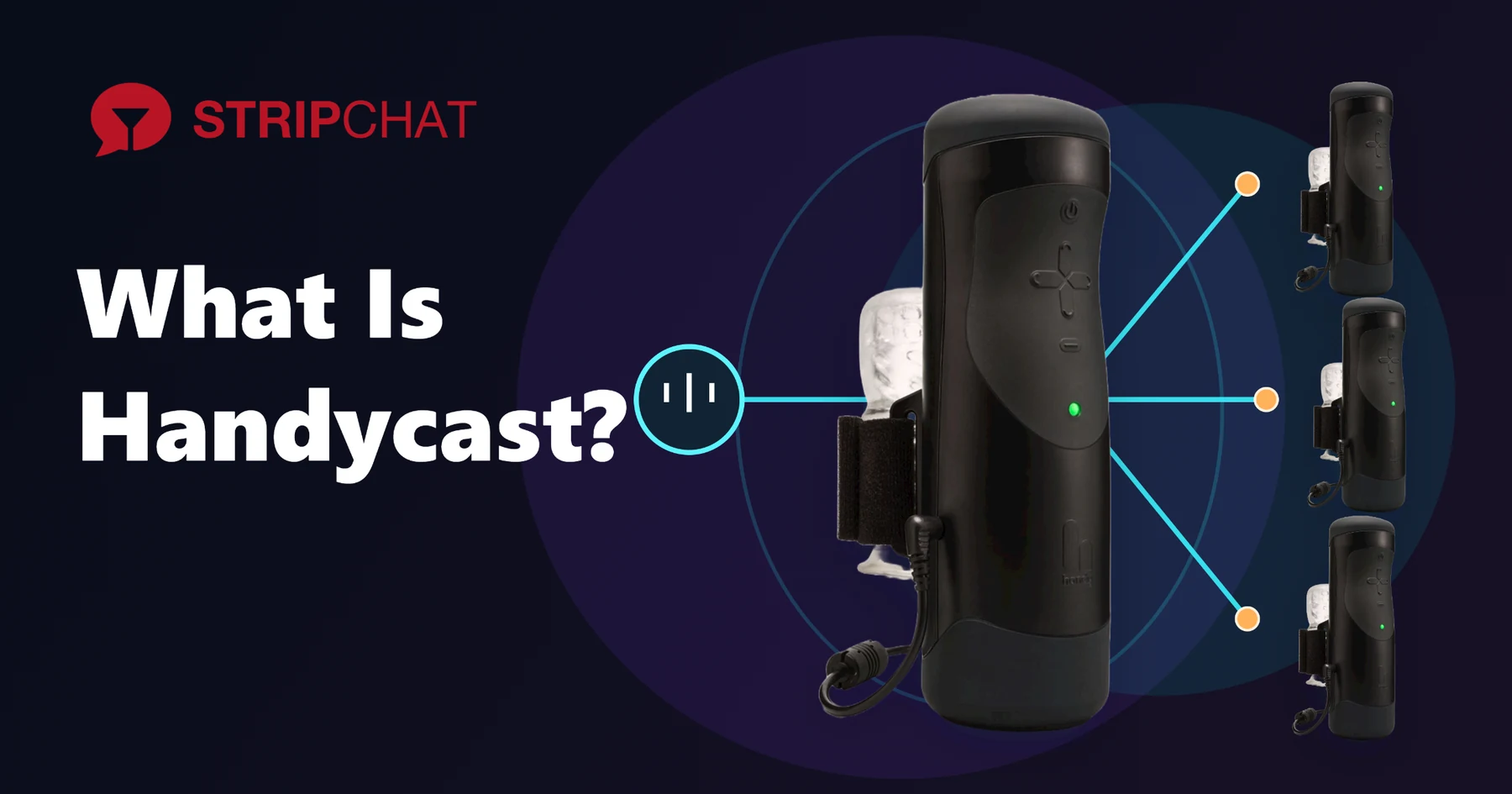
- What to do next Handycast is a feature in Stripchat’s Handy extension that allows a model to control all voluntarily connected Handy devices in an enabled Public Show at once. The model’s input is distributed to participating devices, creating a shared, model-led broadcast without requiring a separate one-to-one connection for each viewer.
Participation is optional, and Handycast is not active in every public room. Viewers must connect their devices before they can receive the model’s input. A model appearing in a Stripchat category associated with The Handy does not confirm availability; viewers still need to open the extension and check whether Handycast is active in that broadcast.
Stripchat announced Handycast on November 4, 2026. The Handy’s November 6 announcement described the one-to-many system as an extension of its multi-control technology.
Handycast in one minute
Handycast brings model-controlled interaction to multiple viewers in the same Stripchat Public Show. Each viewer decides whether to connect a device to the model-led session.
The main boundaries are simple:
- It works only in broadcasts where Handycast is enabled and shown as active.
- Only devices that viewers voluntarily connect can participate.
- The model supplies the control input; tips are not the defining trigger.
- The input is sent to participating devices simultaneously. This describes the system’s architecture, not a published benchmark proving identical timing or a particular latency across devices.
Readers unfamiliar with the hardware can start with NSFWAITool’s overview of The Handy and its connected ecosystem. Products in the broader connected adult-toy guide differ from conventional devices because their control paths can include apps, browsers, remote partners, content platforms, and livestream integrations.
How to join a Handycast Public Show
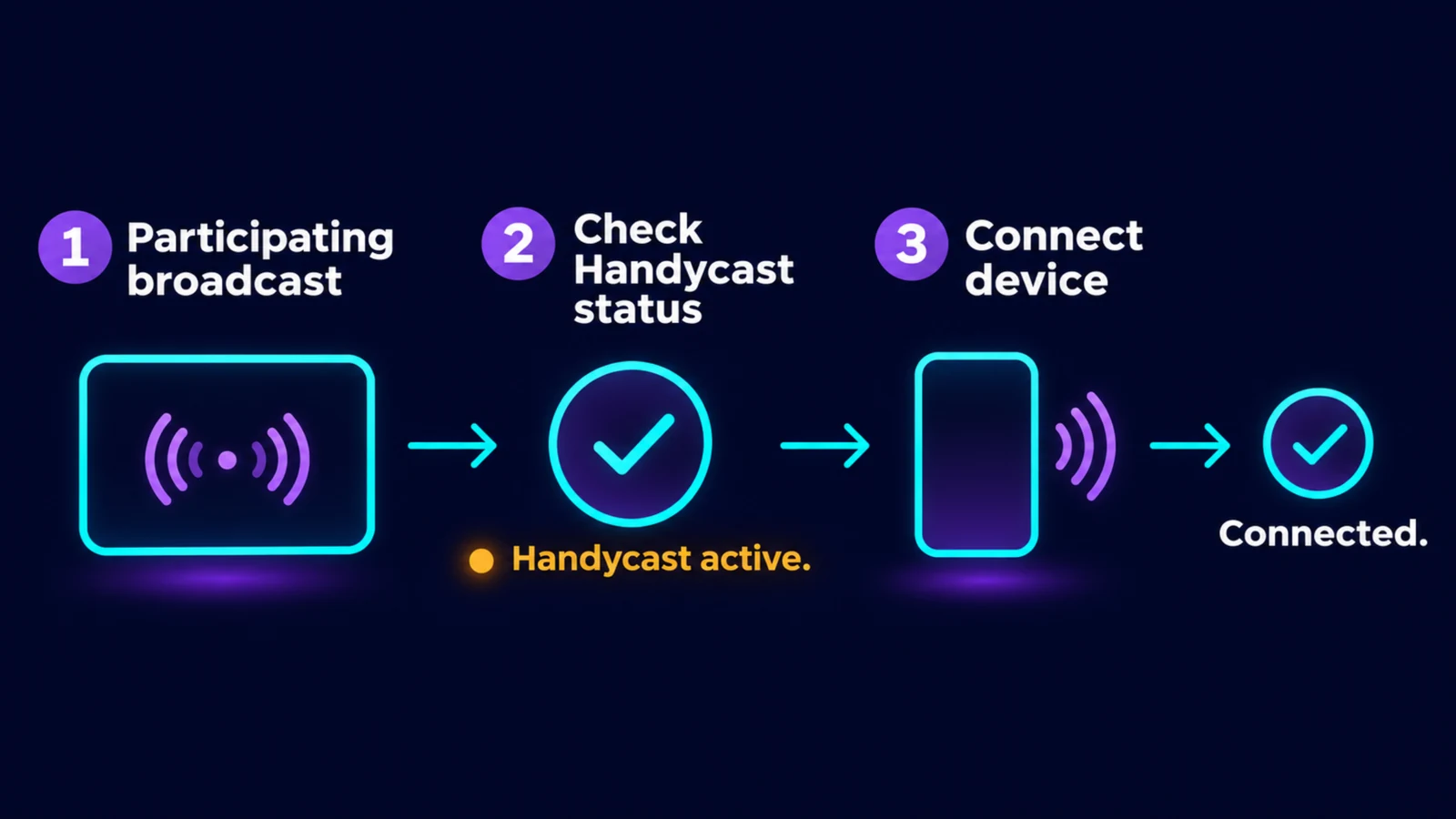
The viewer flow begins inside a participating Stripchat broadcast:
- Open the intended Public Show. Handycast is not available in every room, so choose a broadcast that is actively participating.
- Open the Tip Menu. Stripchat says this is where viewers can access the Handy extension.
- Inspect the Handy extension. Confirm that it shows Handycast as active for the current broadcast. Category placement or general Handy support is not enough.
- Connect your Handy device. Follow the process displayed by the extension along with the standard instructions for your device model and firmware.
- Verify the connection. Check that the extension recognizes the device as connected. A powered-on device and a visible extension do not, by themselves, confirm a working connection.
- Find the disconnect option. Locate the available exit or disconnect control before the show begins and keep it accessible. The announcements do not document a universal button label, a standard automatic-reconnection rule, or an identical interface for every setup.
If the extension does not show Handycast as active, connecting a device will not convert an ordinary public broadcast into a Handycast session. Check availability first.
How one-to-many control works
Handycast has three main parts: the model’s control input, an active session within the Stripchat integration, and the Handy devices that viewers have chosen to connect.
The model provides input through the integration, which distributes it simultaneously to devices connected to that session. The Handy says the feature builds on its multi-control technology and can support thousands of viewers. That scale comes from the company’s announcement, not an independent capacity test.
Here, “simultaneously” means that one control source distributes input across participating devices instead of operating a succession of individual connections. It does not establish zero delay, identical mechanical positions at every instant, unlimited capacity, or equal network conditions for every viewer.
Handycast controls viewer devices; it is not a performer-management assistant. NSFWAITool’s Studio Coach explainer covers software intended to assist performers and studio operations. Handycast has a narrower function: sending a performer’s control input to connected viewer hardware during an enabled public broadcast.
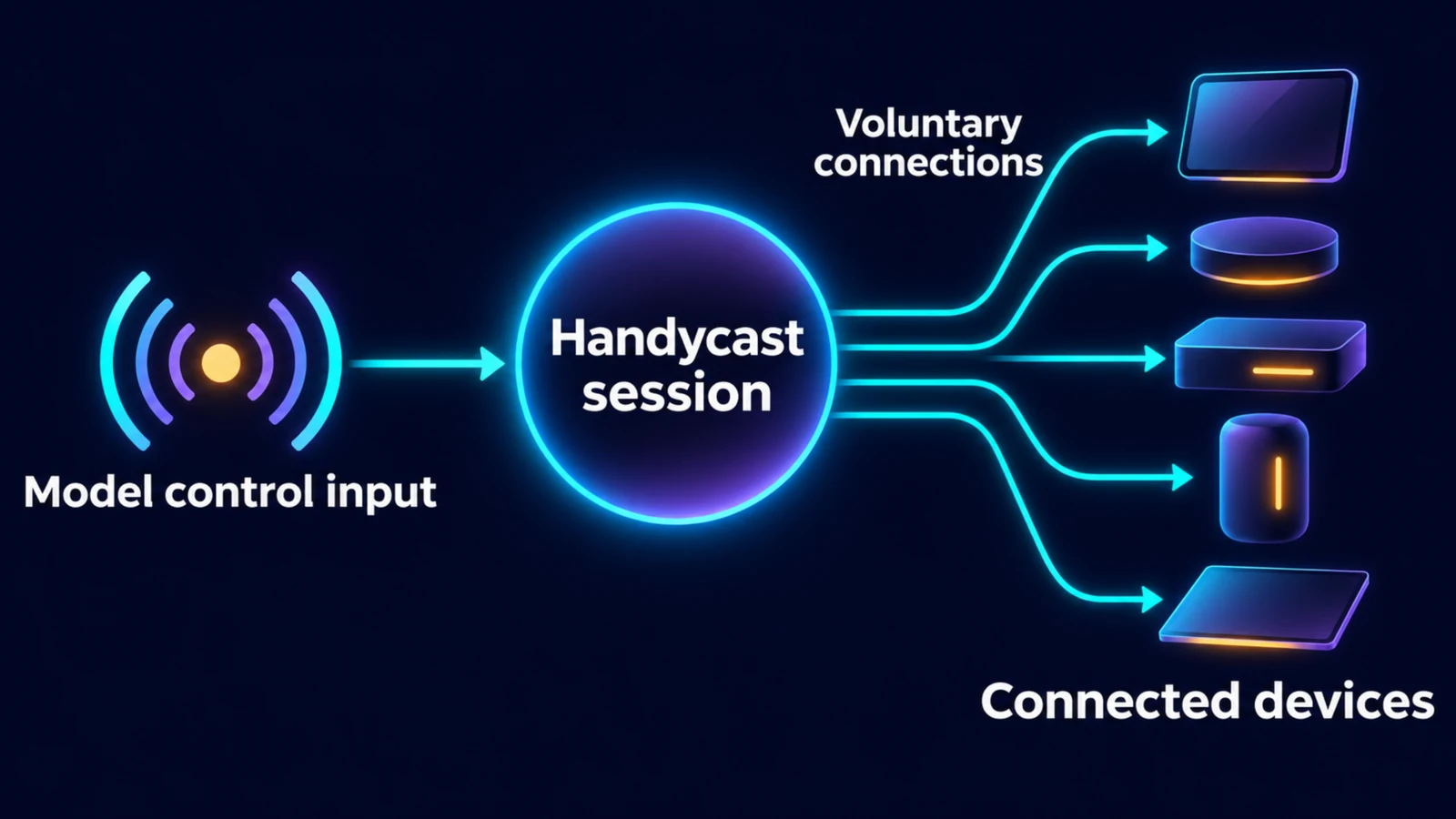
One control source distributes input through a Handycast session to devices that viewers choose to connect; the diagram does not claim identical timing, measured latency or unlimited capacity.
Handycast, Tip Sync, and Give Control compared
Stripchat uses these three names for interactions with different triggers and show contexts.
| Feature | Show context | Trigger | Who controls the device? | Participating viewers | Viewer action |
|---|---|---|---|---|---|
| Handycast | An enabled Public Show | The model’s control input | The model | Multiple viewers may voluntarily connect | Confirm Handycast is active and connect a device |
| Tip Sync | A supported Public Show | Tips received by the model | The tip event determines the response | Connected viewers in the supported public interaction | Connect for tip-triggered responses where available |
| Give Control | A Private Show | One viewer grants control | The model controls that viewer’s device | One private-show viewer | Enter the private workflow and grant control |
The trigger provides the clearest distinction. Handycast distributes direct model-led control across connected devices. Tip Sync uses tips to trigger device responses in a public show. With Give Control, one viewer hands control to the model during a private show.
Availability of one mode in a room does not establish that either of the others is available.
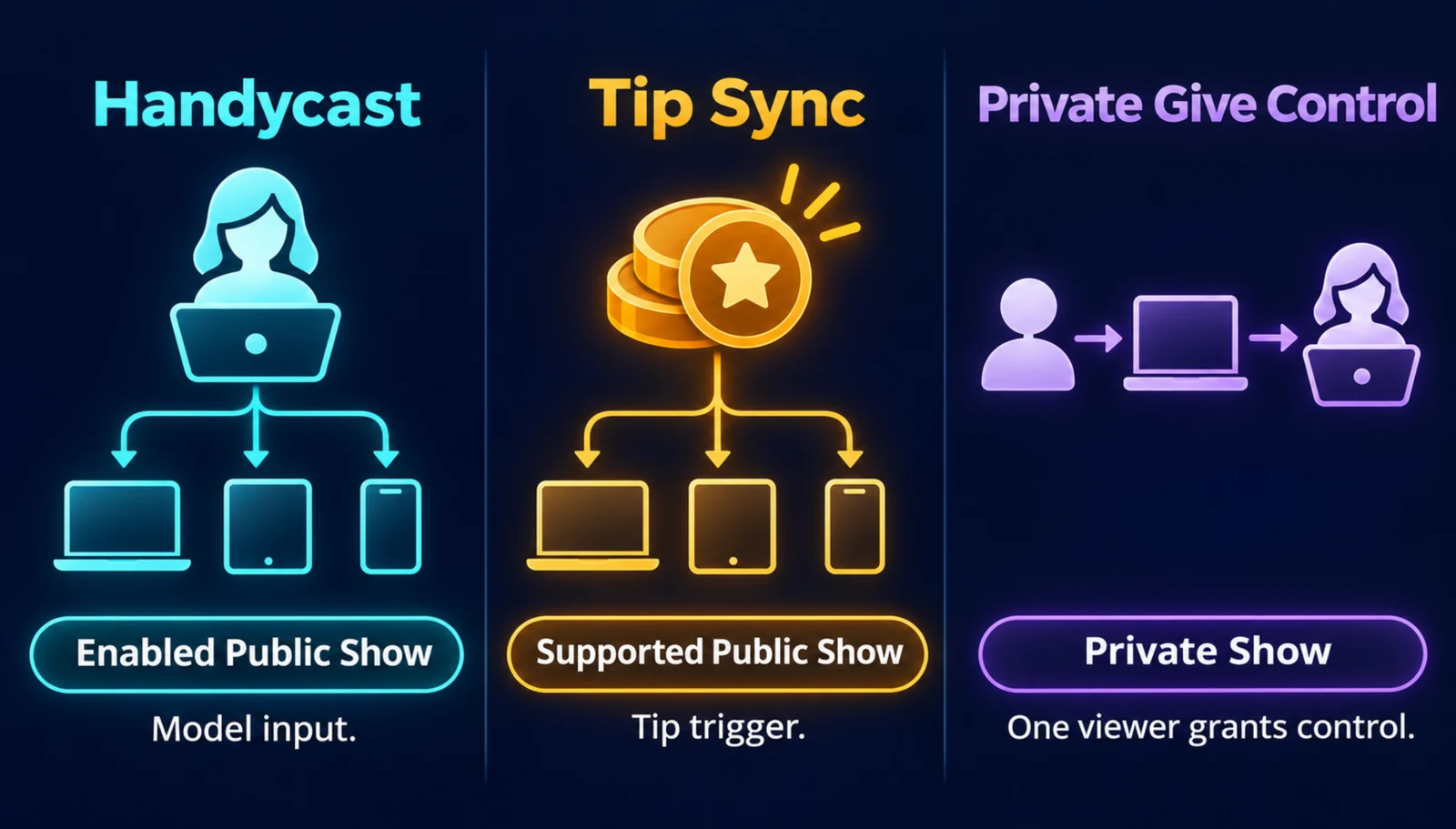
Handycast uses model input in an enabled Public Show, Tip Sync responds to tips in a supported Public Show, and Give Control is a one-viewer Private Show workflow.
The official November 2026 timeline
The launch sequence covers three dates:
- November 4, 2026: Stripchat published its Handycast announcement, viewer instructions, and comparison with Tip Sync and Give Control.
- November 6, 2026: The Handy published its announcement describing the multi-control concept and making claims about compatibility, scale, free participation, and exclusivity.
- November 7, 2026, at 20:30 UTC: The first official Handycast show was scheduled to begin.
The final date refers to a scheduled event. The announcement alone does not establish how many viewers attended, whether the show proceeded exactly as planned, or how the system performed. Secondary reports gave other time references, but Stripchat’s announcement provides the official 20:30 UTC schedule.
What the companies claim
Stripchat says Handycast allows a model to control every connected Handy in the room during a Public Show. According to The Handy, the feature:
- builds on its multi-control technology;
- works with any Handy device;
- is free to join;
- launched exclusively on Stripchat; and
- can connect thousands of viewers.
These are company statements rather than independent NSFWAITool benchmark results. “Free to join” refers to participation in the Handycast session. It does not make the required device free or resolve every question about accounts, connectivity, tips, private shows, or other platform activity.
The claim that Handycast works with “any Handy device” also comes from The Handy. Owners should still follow the setup instructions for their particular model and firmware, since power requirements, network configuration, online modes, indicators, and troubleshooting procedures may differ.
Check these four things before connecting
1. Availability
Open the specific broadcast, inspect the Handy extension in the Tip Menu, and confirm that Handycast is active. A model’s category, profile text, or general support for The Handy does not confirm that the current room is participating.
2. Device readiness and connection
Prepare the device using its normal instructions. Check power, physical setup, network connectivity, and the appropriate online-capable state. Then verify that the Stripchat extension recognizes it as connected.
If recognition fails, separate the issue into two questions:
- Can the device connect normally through its documented online functions?
- Does the Stripchat extension recognize it in this active Handycast session?
This distinction can prevent repeated changes to broadcast settings when the underlying problem is device connectivity. It can also avoid unnecessary device reconfiguration when Handycast is simply inactive in the room.
3. User control
Before the model begins controlling connected devices, find the available disconnect mechanism and keep the relevant control or page within reach. Participation is voluntary, but the launch announcements do not specify a universal disconnect label or automatic-reconnection behavior. If the current interface does not make the exit route clear, resolve that before connecting.
Changing a device connection credential may help revoke later access elsewhere in the Handy ecosystem, but it is separate from the in-session disconnect control. NSFWAITool’s privacy checklist covers linked accounts, permissions, device identifiers, credentials, data retention, and access revocation in more detail.
4. Practical preparation
Place the device in its intended physical setup, make sure cables and network access are stable, and keep its ordinary controls and instructions nearby. Complete these checks before joining so that troubleshooting does not depend on guesswork during the broadcast.
The official announcements do not specify Handycast’s battery behavior, exact status messages, latency, automatic recovery process, or capacity ceilings.
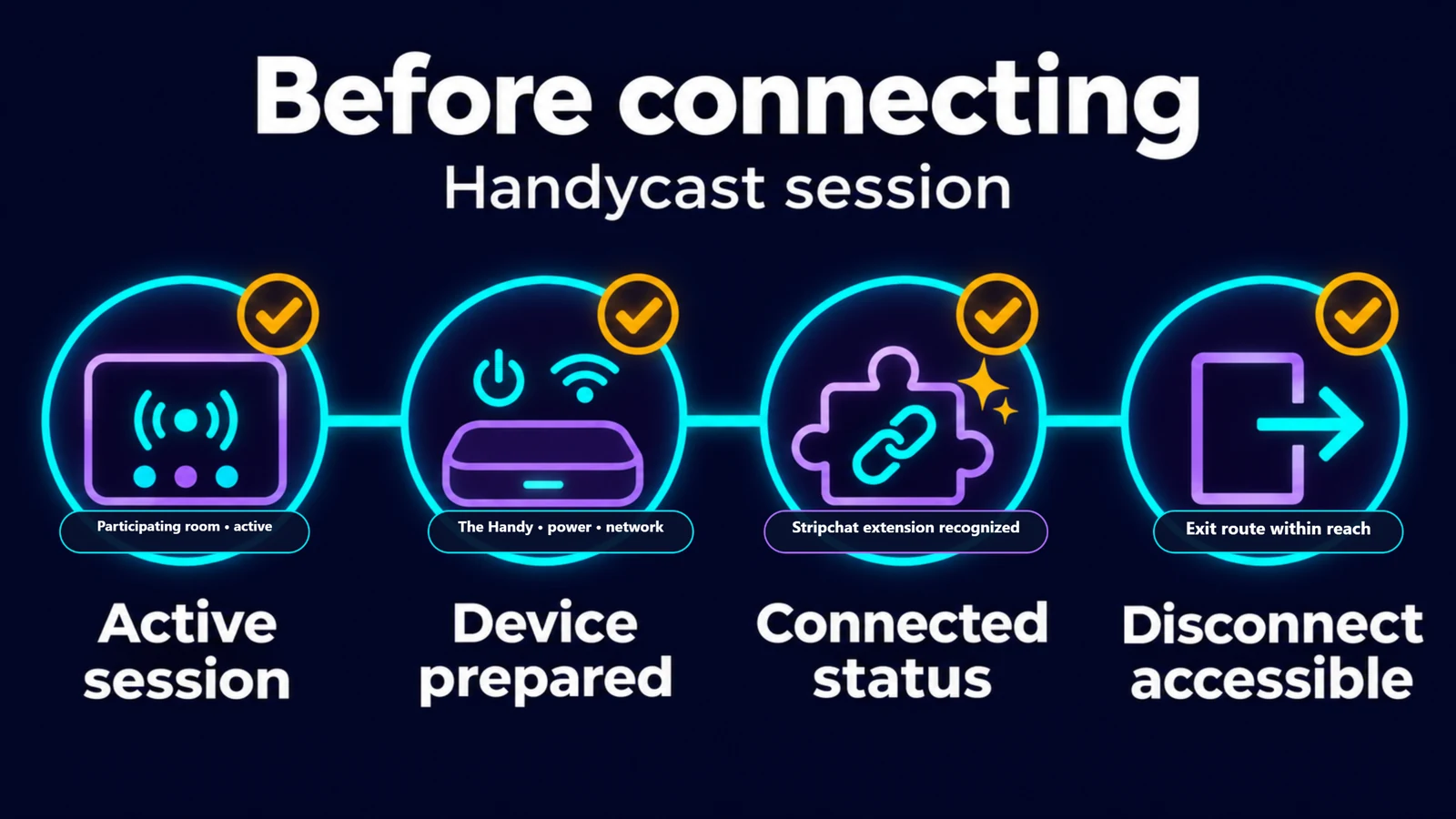
Before connecting, verify the active session, ordinary device readiness, extension-recognized status and a reachable way to disconnect.
Common Handycast misunderstandings
“Every viewer in the room is controlled.” Only viewers who voluntarily connect compatible devices to an active session participate.
“Every Stripchat Public Show supports it.” The Handy extension must show that Handycast is active in the current broadcast.
“It is another name for Tip Sync.” Tip Sync uses tips as the trigger. Handycast distributes the model’s control input.
“It uses the same workflow as a private show.” Handycast provides one-to-many control in an enabled Public Show. Give Control remains a one-viewer Private Show interaction.
“Simultaneous means independently proven perfect synchronization.” It means that one input is sent to connected devices at the same time. The announcements do not include independent latency or device-to-device timing measurements.
“Thousands of viewers have already been independently demonstrated.” The Handy presents participation at that scale as a capability claim. A documented evaluation would need to examine capacity, connection reliability, timing, compatibility, disconnect behavior, and performance under different network conditions. NSFWAITool’s review methodology explains the distinction between vendor announcements and independently observed results.
Handycast FAQ
What is Handycast?
Handycast is a feature in Stripchat’s Handy extension that distributes a model’s control input to voluntarily connected Handy devices in an enabled Public Show.
Is it available in every Stripchat room?
No. Viewers must open the Handy extension in the specific broadcast and confirm that Handycast is active.
How does a viewer join?
Open a participating broadcast, select the Tip Menu, inspect the Handy extension, confirm that Handycast is active, connect the device, and verify that the extension reports it as connected.
Is Handycast the same as Tip Sync?
No. Handycast is driven by the model’s control input. Tip Sync uses tips received during a supported public show to trigger responses on connected devices.
Is it the same as Give Control?
No. Give Control is a private-show workflow in which one viewer grants the model control of that viewer’s device. Handycast can include multiple voluntary participants in an enabled Public Show.
Does Handycast work with every Handy device?
The Handy says it does. This is a company compatibility claim, not a published NSFWAITool model-by-model test.
Is Handycast free?
The Handy says joining is free. Viewers still need a compatible device and any accounts, connectivity, or ordinary platform access required by their setup.
Can a viewer disconnect?
Participation is voluntary, and viewers should keep the available disconnect or exit route accessible. The announcements do not name a universal control or explain reconnection behavior, so locate the exit method in the current interface before joining.
When was Handycast announced?
Stripchat published its announcement on November 4, 2026, followed by The Handy on November 6. The first official show was scheduled for November 7 at 20:30 UTC.
What to do next
Open the intended broadcast and inspect the Handy extension in the Tip Menu. Connect after confirming that Handycast is active, the device is prepared and recognized, and the disconnect route is accessible. This establishes the three details needed before joining: the room is participating, the device is connected, and the viewer can leave the session when desired.