
Introduction
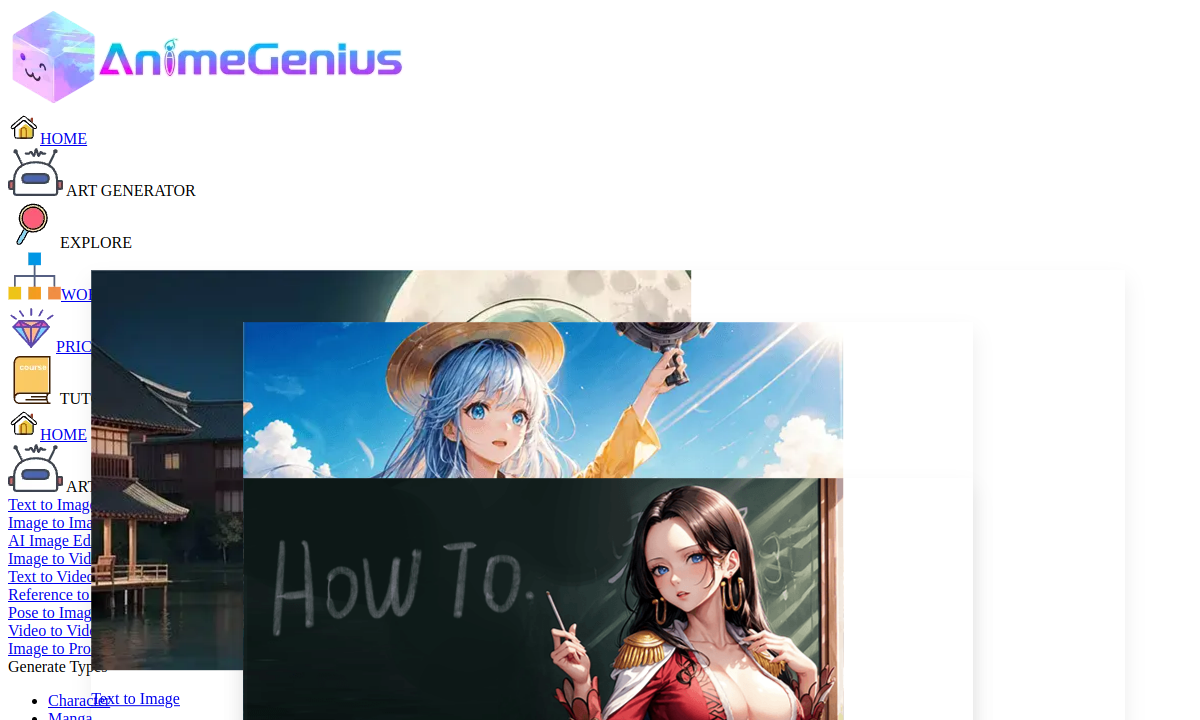
AnimeGenius sits in a different lane than the AI companion sites that dominate adult-tech conversation. There is no chat window, no relationship simulator, no memory of yesterday's session. Instead, the platform concentrates entirely on generation: text-to-image, image-to-image, sketch-to-image, pose-to-image, and image-to-video, all filtered through an anime visual language. For a buyer whose fantasy lives in the finished illustration or short clip rather than an ongoing dialogue with a fictional personality, that focus is the point. You come here to make pictures, not to build a relationship with a bot.
The text-to-image workflow is deliberately stripped down. You type a character or scene description in the prompt field, optionally add a negative prompt to exclude unwanted elements, select a model or LoRA that matches the desired style—Anime, 3D, Cyberpunk, Ghibli, and others—and hit generate. The interface avoids Stable Diffusion jargon in its default presentation, though a separate tutorial section dives into SD parameters for users who want finer control. That two-tier design means a first-timer can land a usable result in seconds while experienced prompt crafters still have room to push quality higher.
The Realtime Painter changes the creative rhythm entirely. Instead of describing a scene in words and hoping the model interprets correctly, you draw directly on a live canvas while the AI renders your strokes into polished anime art as you work. A text prompt still guides the output, but the visual input lets you control composition, body framing and camera angle through gesture rather than vocabulary. For anyone who thinks in shapes and poses first, this mode cuts the back-and-forth between imagination and prompt writing dramatically.
Video creation gives AnimeGenius a second dimension that pure still-image generators lack. Two paths exist: feed an existing image with a motion prompt and let the engine produce a short clip, or provide a reference image alongside a text description to guide both appearance and movement. A separate mode combines a character image with a performer video to drive animation from real motion data. The homepage does not specify clip length, frame rate, or resolution ceilings, so buyers expecting broadcast-grade output should test the free tier before committing.
The style library claims over a hundred filters spanning loli, furry, 3D, pixel, bikini, uniform, and more, with a dedicated character generator that expands into fantasy, DnD, gothic, cyberpunk, and explicit NSFW categories. That breadth means you can pivot from a clean Studio Ghibli landscape to a dark fantasy orc to an explicit pin-up without switching platforms. The character generator also lets you isolate a character's defining appearance and iterate one scene element at a time, useful for building coherent character sets rather than disconnected one-off images.
One important distinction before you invest time here: AnimeGenius is a generation toolkit, not an interactive experience. There is no roleplay engine, no conversational AI building chemistry with a character over sessions, and no chat memory of any kind. If your adult workflow starts with a character you want to talk to and ends with images that match the story, a companion-style platform will serve you better. If you already have the scene mapped in your head and need the fastest path from idea to anime illustration or short animation, this is where those tools live.
Merits
- Six distinct generation entry points—text, image, sketch, pose, realtime painter and video—rarely found together on a single free-access platform.
- Beginner onboarding is genuinely fast; the default interface hides Stable Diffusion complexity while a tutorial layer exposes it for advanced users.
- Free daily generation removes the paywall barrier for initial testing, letting you judge output quality on your own prompts before spending money.
- Active community with shared art galleries, creator rankings and video tutorials provides real inspiration and practical prompt advice from other users.
Disadvantages
- No chat, roleplay or companion features whatsoever—buyers seeking character interaction alongside generation will need a second platform.
- Credit pricing and paid plan details are not visible without creating an account, making budget planning impossible from public pages alone.
- NSFW is listed as one style among fifty-plus rather than the platform's primary identity; adult-specific controls appear limited compared to dedicated hentai generators.
- Video generation limits—maximum duration, resolution and daily output—are not disclosed on public pages, leaving motion-tool capacity uncertain.
Key Features
Text-to-image anime generation
Type a character description, pick a style model and receive a finished illustration in seconds without drawing skills or prompt-engineering experience.
Realtime Painter
Doodles on a live canvas morph into rendered anime art as you draw, enabling visual iteration on poses and composition without relying on text alone.
Image-to-video conversion
Upload a still image with a motion prompt to produce a short animated clip, adding movement to successful generations without external editing software.
ControlNet pose-to-image
Set a skeleton pose before generation so the character matches that exact stance, solving the persistent problem of random body positioning in AI art.
100+ style filters and LoRA models
Switch between anime, 3D, pixel, furry, Ghibli, cyberpunk, NSFW and dozens more visual languages without retraining or leaving the platform.
Anime image upscaler
Enlarge a low-resolution generation to a cleaner, higher-detail version suitable for sharing, printing or use as a video reference frame.
Editor Score
AnimeGenius earns a strong score for generation breadth and accessibility but loses ground on adult specificity and pricing transparency. The platform genuinely offers more creation entry points—text, sketch, pose, reference image, video, realtime painting—than most competitors in the anime AI space. However, buyers whose primary interest is deep NSFW customization will find that adult content is one lane among many rather than the road itself. The unpublished credit pricing also prevents accurate budgeting without signing up first.
| Criterion | Score |
|---|---|
| Generation Mode Variety | 18 / 20 |
| Anime Visual Fidelity | 16 / 20 |
| Beginner Onboarding Speed | 17 / 20 |
| Adult Content Depth | 12 / 20 |
| Pricing Transparency | 9 / 20 |
| Total | 72 / 100 |
Rate Plans
AnimeGenius promotes itself as free and delivers daily generation without upfront payment, which is enough to test core tools and judge output quality on your own terms. A credit system exists—the FAQ references earning or purchasing more credits—but specific pack prices and daily limits are not shown on public pages. Check your account dashboard after signing in to see current credit costs before treating the free tier as a long-term solution. Generous free access is real; sustained high-volume creation almost certainly requires paid credits.
| Plan | Price | Who it suits |
|---|---|---|
| Free tier | $0 | Daily generation with limits across text-to-image, style filters, realtime painter and basic editing tools. |
| Credit packs | Shown after sign-in | Additional generation capacity beyond the free daily limit. Pack sizes, prices and payment options display inside the account dashboard. |
No subscription tiers, refund terms or auto-renewal details are published on public pages. Confirm credit pricing, payment methods and any usage caps inside your account before purchasing.
Alternative Tools
| Tool | Why compare it |
|---|---|
| Pinku AI | Pinku AI adds unlimited roleplay chat, long-term character memory and in-chat image requests on top of generation—features AnimeGenius does not offer at all. If you want a character you can talk to between image sessions, Pinku delivers that relationship layer starting at €6.99/month. If you only need standalone image and video output without conversational AI, AnimeGenius gives you more generation modes for free. |
| LoveScape | LoveScape builds a persistent companion with personality, voice and publishing tools, then lets you generate images and video around that ongoing relationship. AnimeGenius skips the companion entirely and concentrates on generation breadth—realtime painting, pose control, video from reference images. Choose LoveScape when the character bond matters across sessions. Choose AnimeGenius when the finished artwork is all you need. |
| CreateHentai | Both platforms generate anime-style adult art, but their interfaces shape the workflow differently. CreateHentai leads with a detailed tag catalog designed for hentai composition—selecting body type, scenario and camera angle through visible controls. AnimeGenius relies on prompt text plus model selection and adds video, realtime painting and pose tools that CreateHentai does not match. Pick CreateHentai for structured tag-driven hentai stills. Pick AnimeGenius for broader generation modes and animation. |
Frequently Asked Questions
Is AnimeGenius really free?
The homepage and character generator page both advertise free daily generation. A credit system exists for higher volume, but specific paid pricing is not shown publicly—check your account dashboard after signing in.
Does AnimeGenius have roleplay chat or character conversations?
No. AnimeGenius is a generation toolkit for images and video only. It does not include chat, roleplay, character memory or companion features of any kind.
Can I generate explicit NSFW content?
NSFW is listed among the platform's 50-plus character and style categories. The character generator page references 'sexy' and other adult styles, though the extent of content moderation on free-tier generations is not detailed on public pages.
How do I get more generation credits?
The FAQ references earning or purchasing additional credits beyond the free daily limit. Specific methods, pack sizes and pricing appear inside the account dashboard after sign-in.
Can I use generated images commercially?
The platform's FAQ includes a question about commercial use and references an AI model license, but the answer is not provided on public pages. Review the platform's license terms after creating an account.
What is the Realtime Painter?
The Realtime Painter lets you draw on a live canvas while the AI renders your strokes into anime art in real time, guided by an optional text prompt. It enables visual iteration on poses and composition without relying entirely on written descriptions.