
Introduction
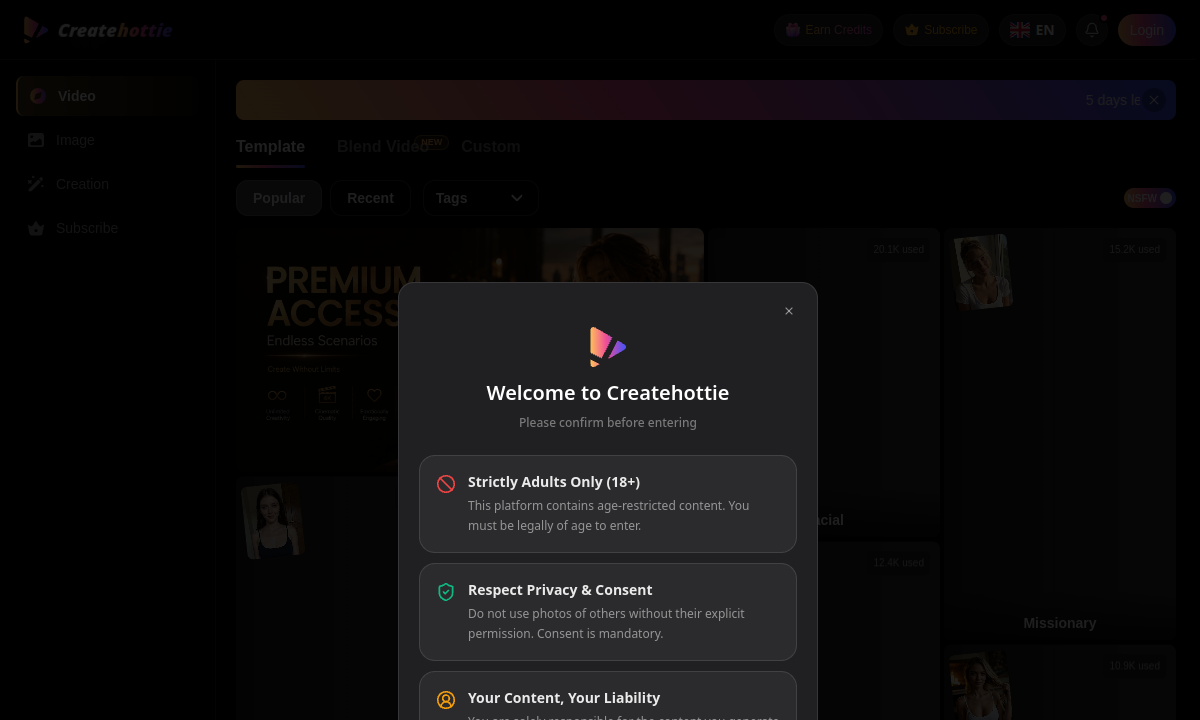
CreateHottie is a live adult media generator split into Video, Image, and Creation zones. The core hook is speed: you upload a still image, select a motion template, and generate a video sequence without writing detailed prompts for movement, camera angles, or choreography. This template-first approach lowers the technical barrier to producing animated adult content from a single source image, making the initial output faster than fully text-driven video generation.
The video workflow is where CreateHottie's mechanics most directly shape the user experience. You choose from visible action presets rather than issuing open-ended text commands. Each template displays its own usage activity, shifting the creative focus from writing to browsing. A 'Blend Video' option appears as a newer mode, while a 'Custom' route offers less prescriptive direction. This means you can iterate on a concept by swapping templates without rewriting complex motion prompts each time, trading fine-grained control for iteration speed.
The Image area supports the still-image side of the workflow, while Creation keeps additional tools in a separate destination. The entry interface does not enumerate every setting inside Creation, so there is no reason to inflate it into a feature list. What matters is the staged layout: image work, template-led video and the user's existing creations are not squeezed into one screen. That separation is helpful when a single session moves from preparing a source image to trying several motions.
Earn Credits and Subscribe are both visible account controls, and a Pro+ promotion has offered bonus credits. The site does not keep stable prices or allowances on the entry screen. That makes the current cost impossible to calculate before opening the account area, especially for a workflow that encourages trying more than one motion template. Check how many generations the current offer covers and whether Blend Video or Custom uses a different amount before paying.
The template system is CreateHottie's sharpest differentiator. If your primary goal is to animate existing images with explicit, predefined actions, the preset library delivers that quickly. However, the 'Custom' route is less defined in the public interface, and users who need deep granular control over every motion detail may find the template-first structure limiting. Evaluate the available presets against your creative needs before committing financially.
CreateHottie is a sensible choice when you already have a strong still image and want an adult clip without writing movement instructions from scratch. It is less convincing for a creator who wants exact camera direction, long scene structure or a published price before account entry. Start by checking whether the visible template library contains the motion you actually want. The speed advantage disappears when the right action is not available and Custom becomes the only route.
Merits
- Template-first video workflow reduces prompt engineering for motion, enabling faster adult content generation from still images.
- Separate Video, Image, and Creation areas provide focused, segmented workspaces for different pipeline stages.
- Blend Video introduces a newer mode for combining elements, adding variety beyond standard presets.
- Usage activity displayed on templates helps gauge which presets are popular or frequently used.
Disadvantages
- Stable prices and per-generation allowances are not listed on the entry screen.
- The 'Custom' video route is minimally defined in the public interface, leaving its full capability unclear.
- Tools within the Creation area are not enumerated publicly, leaving its scope ambiguous.
- Reliance on pre-built motion templates may constrain users seeking highly unique or complex choreography.
Key Features
Video Template Selection
Choose from visible action presets with activity metrics, skipping manual description of motion and camera work for faster iteration.
Image Upload & Generation
Provides a still image to pair with video templates or use standalone, serving as the first step in the content pipeline.
Creation Area
A separate workspace for additional editing or starting from scratch; exact tools are not enumerated in the public view.
Blend Video
A newer video mode offering an alternative to standard presets, adding variety to the animation workflow.
Custom Video Route
Allows a less prescriptive approach than templates, giving users more direct input over the video generation process.
Account Access Controls
Earn Credits and Subscribe options are present, with a Pro+ promotion noted on the current site, confirming gated access to full functionality.
Editor Score
CreateHottie scores well for its specific niche: turning stills into animated adult videos with minimal prompt overhead. Its template mechanics deliver real speed advantages for the right user. The lack of transparent pricing and undefined Custom and Creation tools hold it back from a top rating. It suits creators who can work within a preset-driven system and are willing to sign up before understanding costs.
| Criterion | Score |
|---|---|
| Template Efficiency | 18 / 20 |
| Workflow Segmentation | 16 / 20 |
| Pricing Transparency | 8 / 20 |
| Creative Flexibility | 14 / 20 |
| Feature Clarity | 12 / 20 |
| Total | 68 / 100 |
Rate Plans
CreateHottie displays Subscribe, Earn Credits, and Pro+ controls on its interface, but no prices, credit packs, or plan tiers appear on the public site. Before investing time in creation, create an account to inspect what plans are available and what they cost. This step is necessary to understand the financial commitment and whether the template library aligns with your budget.
| Plan | Price | Who it suits |
|---|---|---|
| Current CreateHottie offer | Shown after sign-in | Template video, Image, Blend Video and Custom access; current allowances are displayed inside the account. |
Check the current generation allowance, the cost of Blend Video and Custom, and renewal terms before paying.
Alternative Tools
| Tool | Why compare it |
|---|---|
| LeakifyHub | LeakifyHub also uses image-to-video templates for adult content but includes category filters like hentai and gay content, with published credit pricing starting at $5 for 30 credits. Choose it for more template variety and upfront cost information. |
| DeepStrip | DeepStrip focuses on face swap, undress transformations, and staged undress animation with one-off credit pricing from $5. It lacks a video template workflow but offers precisely priced tools for specific photo and video edits. |
| DeepUndress | DeepUndress combines undress, face swap, clothes change, eraser, and text-to-image tools with published subscription rates starting at $9.99 per week. It provides a broader creative studio but does not emphasize template-first video animation. |
Frequently Asked Questions
How do CreateHottie's video templates work?
You upload or generate a still image, then choose from a library of pre-built motion presets. The AI pairs your image with the selected template to animate it, bypassing the need to describe movement and camera work manually.
What is the Blend Video feature?
Blend Video is a newer option listed in the video workflow. The public interface does not detail its specific mechanics beyond labeling it as a distinct creation mode.
Does CreateHottie publish a starter allowance?
The entry page does not list a stable starter allowance. A Pro+ promotion has offered bonus credits, with current details shown inside the account.
Can I use CreateHottie without prompting experience?
Yes, the template system uses preset selection as the primary input. A 'Custom' route also exists for users who want more direct control.
What adult content categories are available?
Its listed categories include AI Porn Sites, AI Porn Video Generator, AI Face Swap Tools, AI Removal Tools, and NSFW AI Editing Sites.
How does CreateHottie compare to DeepStrip?
CreateHottie uses template-based video generation from still images. DeepStrip focuses on face swap and undress transformations with per-action credit pricing. Choose based on whether you prioritize animated video from stills or discrete photo and video edits.