
Introduction
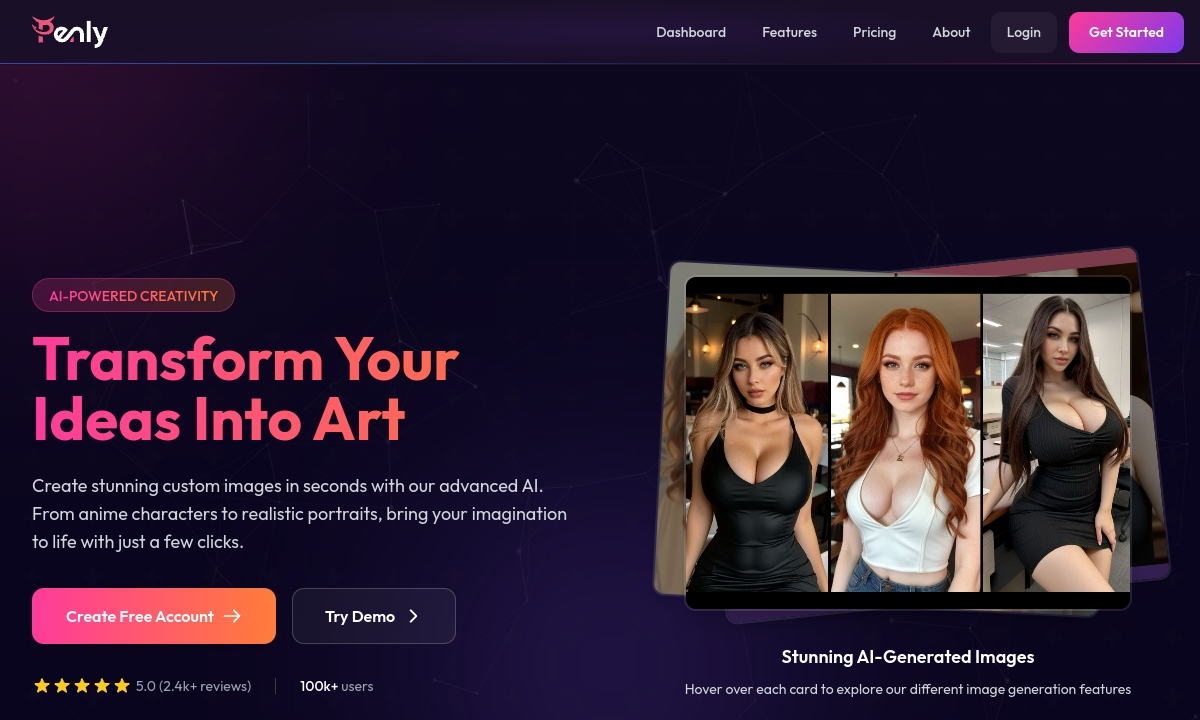
Penly is an all-in-one adult image generator. The homepage promises custom anime characters, realistic portraits, and more from simple text prompts. Where most AI porn tools funnel you into chat-first companions or pre-built character galleries, Penly puts a visual creation studio at the center. You describe a scene, a body type, a scenario, or upload a reference image and the platform generates a finished picture. That workflow matters: it serves buyers who think in images first and narratives second, or who want standalone artwork rather than an ongoing conversation partner.
Face swap is the standout feature that shapes how many buyers will actually use this tool. Upload a source face and a target image, and the system blends one onto the other. The homepage testimonial singles out this capability as 'mind-blowing,' and the help center walks through alignment and lighting adjustments for more realistic results. For adult creators, face swap turns generic AI-generated bodies into personalized content, whether for private fantasy or commissioned work. The practical consequence: you generate new poses and scenes while maintaining a consistent face across the set.
The editing toolkit goes beyond initial generation. Inpainting lets you mask any region of an image and rewrite it with a text prompt—change a facial expression, swap clothing, or fix a hand that the generator botched. Outpainting extends an image beyond its original borders, useful for turning a portrait into a full scene or adding context around a close-up. Background removal and text/watermark removal round out the suite. Together these tools mean a single generation is rarely the final product; you refine and expand instead of starting over.
Pricing raises a flag worth noting before you commit. The pricing page promises 'no subscriptions, no hidden fees' and describes one-time credit purchases across three tiers—370, 1,000, and 3,000 credits. However, the Terms of Service state that 'subscriptions automatically renew until canceled' and that 'we do not provide refunds for unused subscription periods.' These statements directly contradict each other. Actual dollar amounts are not published on any page available. Until you reach checkout, you cannot confirm whether a subscription, a one-time purchase, or both apply to your account.
Penly lists an AI chatbot alongside its image tools, but the homepage and features page give it minimal attention compared to generation and editing. There is no character discovery feed, no community library, no persistent personality system, and no roleplay infrastructure of the kind found on CrushOn AI or GirlfriendGPT. If your primary interest is adult conversation with a consistent character—voice, memory, dialogue—Penly is not built for that. The chat feature functions as a creative prompt assistant rather than an interactive companion.
The strongest editorial case for Penly is the buyer who already knows what they want to see. Face swap plus inpainting plus outpainting gives you real control over visual output without needing to write elaborate character sheets or maintain a chat history. Anime, realistic, and comic styles cover the main aesthetic lanes. Credits do not expire according to the FAQ, and generated images are yours for personal or commercial use. The main risk is pricing opacity and the subscription contradiction, so test with the smallest available purchase before scaling up.
Merits
- Broad image toolkit—generation, face swap, inpainting, outpainting, upscaling, and background removal—under one account.
- Credits never expire, which suits project-based or infrequent creators who do not want recurring charges.
- All generated images carry personal and commercial use rights according to the pricing FAQ.
- PWA installation available on desktop and mobile for a more app-like experience.
Disadvantages
- Dollar amounts are not published anywhere on the site; pricing is only visible at checkout.
- The pricing page claims no subscriptions while the Terms of Service describe automatically renewing subscriptions with no refunds.
- AI chatbot is minimal with no character discovery, roleplay system, or community content.
- Privacy policy lists 'training AI models' as a use of collected information while separately denying model training on user content.
Key Features
Text-to-Image Generation
Describe a scene in text and receive a finished image without drawing skill or manual artistry.
Face Swap
Upload a source face and place it onto any generated body, maintaining visual consistency across multiple poses and scenarios.
AI Inpainting
Mask any part of an existing image and rewrite it with a new prompt—change expressions, clothing, or fix generation errors in place.
Smart Outpainting
Extend an image beyond its original frame to add backgrounds, surrounding context, or full-body shots from a close-up crop.
Style Selection
Switch between anime, realistic, and comic aesthetics on the same prompt without restarting the workflow.
Background Removal
Strip backgrounds from generated images for compositing, overlay work, or clean standalone portraits.
Editor Score
Penly earns its score as a versatile image generation and editing studio with real depth in face swap, inpainting, and outpainting. The credit-based model could suit infrequent creators, but the contradiction between the pricing page and Terms of Service, combined with absent dollar figures, prevents confident purchasing. Buyers who want visual NSFW output will find a capable toolkit; buyers who want chat-driven adult interaction should look elsewhere.
| Criterion | Score |
|---|---|
| Image Generation Versatility | 16 / 20 |
| Face Swap Capability | 17 / 20 |
| Editing Toolkit Depth | 17 / 20 |
| Pricing Transparency | 8 / 20 |
| Adult Chat Depth | 6 / 20 |
| Total | 64 / 100 |
Rate Plans
Penly offers three credit tiers—370, 1,000, and 3,000 credits—plus a free plan with basic generation features and an Enterprise option requiring direct contact. Dollar amounts are not published on the website; you must reach checkout to see current pricing. The pricing page states credits never expire and that there are no subscriptions, while the Terms of Service reference automatically renewing subscriptions. This contradiction means you should verify the billing model at checkout before entering payment details. The free plan includes basic generation; the features page lists face swap and outpainting under the Pro tier.
| Plan | Price | Who it suits |
|---|---|---|
| Free | $0 | Basic AI image generation features |
| 370 Credits | Not published | Priority queue, lifetime storage, no watermark, all AI models |
| 1,000 Credits | Not published | All premium features; listed as most popular plan |
| 3,000 Credits | Not published | All premium features; listed as best value plan |
The pricing page states 'no subscriptions, no hidden fees' with one-time credit purchases, but the Terms of Service describe subscriptions that auto-renew with no refunds for unused periods. Verify the exact billing model at checkout before entering payment information.
Alternative Tools
| Tool | Why compare it |
|---|---|
| CrushOn AI | CrushOn AI is a character chat platform with custom creation, model switching, group chats, and a large community library. It serves adult roleplay through dialogue. Penly generates images; CrushOn generates conversations. If you want a voice-driven companion with personality depth and persistent memory, CrushOn's card system and tiered models deliver that. If you want standalone NSFW images you can edit and expand, Penly's generation toolkit has no equivalent on CrushOn. |
| GirlfriendGPT | GirlfriendGPT is a browse-and-chat adult companion platform built around discovering characters and opening private scenarios. Its discovery feed and custom character creator serve people who want to pick a personality and start a story. Penly offers no comparable character browsing or persistent chat. Choose GirlfriendGPT for narrative-driven adult interaction; choose Penly when the end product you want is a specific editable image, not a conversation. |
| OurDream AI | OurDream AI combines persistent chat, images, video, and voice into one companion, using DreamCoins to unlock media features. It suits buyers who want a character that can generate a picture mid-scene, produce short video, or move into a voice call. Penly treats each image as a standalone creation with dedicated editing tools. Choose OurDream for integrated companion media; choose Penly for a focused image studio with deeper inpainting and outpainting controls. |
Frequently Asked Questions
How does the credit system work?
Each standard image costs 1 credit. HD upscaling and some advanced features may use additional credits. Credits do not expire and can be used at your own pace.
Are generated images mine to use commercially?
Yes. The pricing FAQ states that all generated images are available for personal or commercial projects.
Is there a free plan?
The features page lists a Free tier with basic generation features. Advanced tools like face swap and outpainting require the Pro tier.
What payment methods are accepted?
The pricing page FAQ lists credit cards, PayPal, Apple Pay, Google Pay, and cryptocurrency as accepted payment methods.
Does Penly train AI models on my content?
The privacy policy states both that 'training and improving our AI models' is a use of collected information and that 'we do not train our AI models on your content.' This contradiction is not resolved anywhere on the site.
How does face swap work?
Upload a source image containing the face you want to use, then upload a target image where you want that face placed. The help center recommends matching lighting and head position between source and target for the most natural results.