Contents
- Sassychat in one minute
- How the Sassychat DM workflow works
- Sassychat, a reply copilot, and a human chatter
- What autonomous sending changes
- Persona calibration: make the agent sound intentional
- Fan memory and buying context
- Pay-to-unlock content and AI-attributed sales
- Re-engagement and human handoff
- A practical Sassychat setup checklist
- Approval controls and questions to ask
- Data handling and privacy questions
- Disclosure and platform compatibility
- Where AI fits—and where a person still matters
- How NSFWAITool would evaluate Sassychat
- What Sassychat’s public pages leave unanswered
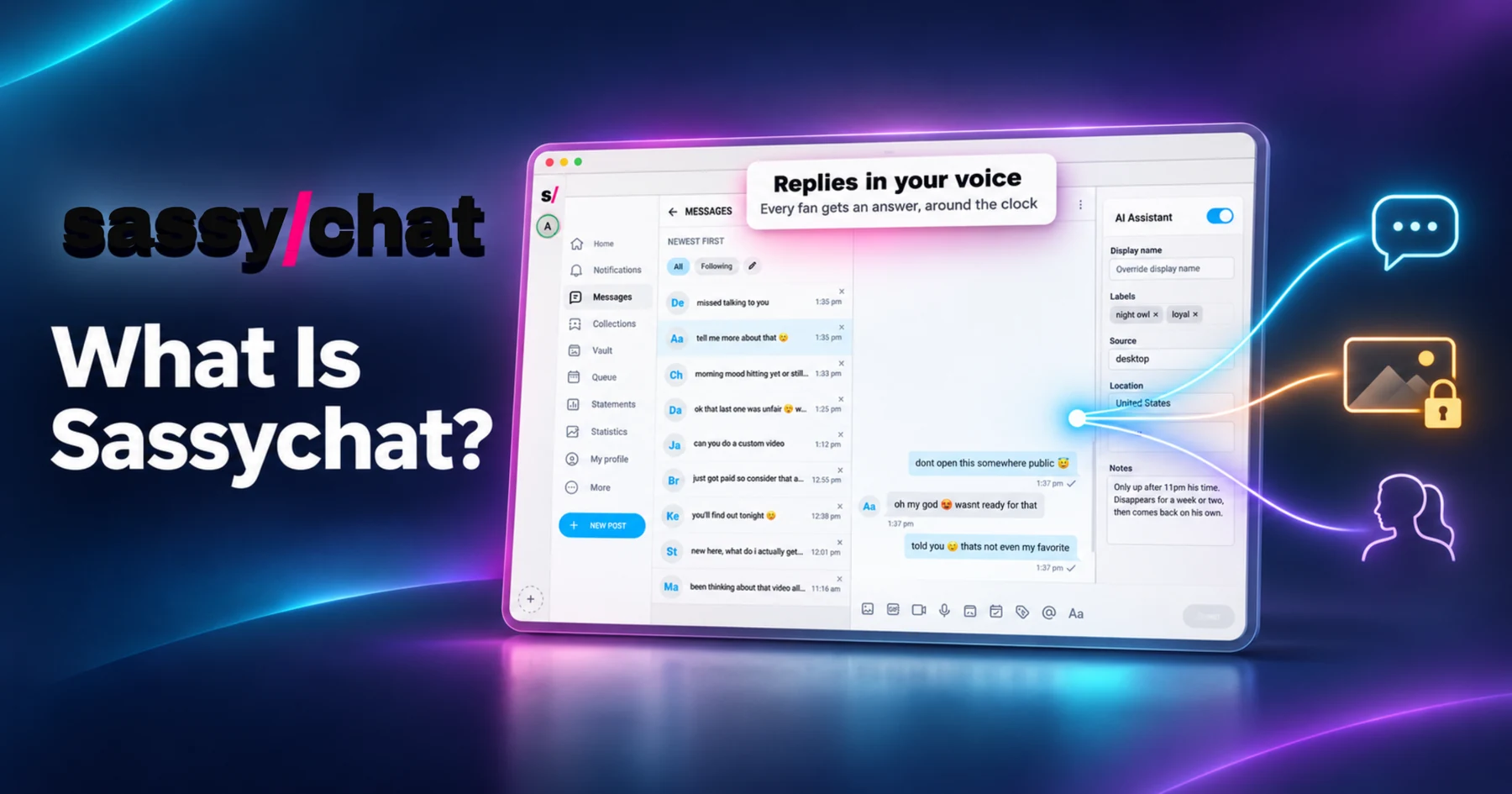
- FAQ Sassychat is a desktop AI messaging agent for OnlyFans and Fansly creators and agencies. According to the official product page, it can read incoming direct messages, use fan preferences and purchase history, write in a creator-configured persona, send pay-to-unlock media from the creator’s vault, re-engage quiet fans, attribute sales to AI conversations, and route selected chats to a human.
Sassychat goes beyond suggesting replies. Its terms say the AI Assistant may compose and send messages without individual review, quote prices, make offers, and take custom-content requests. It functions as an autonomous sending agent, while a copilot waits for a creator or chatter to approve each message.
The capabilities, prices, security descriptions, and attributed-sales figures discussed here come from Sassychat. Its public pages do not give a clear launch date, and its marketing dashboards are not independent performance results.
Sassychat in one minute
Sassychat is designed for creators and agencies that want to automate more than scheduled broadcasts or canned greetings. It uses desktop software supported by online services and connects to an OnlyFans or Fansly messaging workflow.
For each conversation, Sassychat says it can:
- Read an incoming fan message.
- Consider known preferences, previous purchases, and the current conversation stage.
- Reply using the creator’s configured personality, tone, emoji style, heat level, and language.
- Continue the conversation, make an offer, or send a priced photo, video, or bundle from the creator’s vault.
- Re-engage a fan who has gone quiet.
- Escalate selected conversations or high-value fans to a person.
- Record sales attributed to automatically sent AI messages.
Running from the desktop does not keep all processing on the computer. Sassychat’s privacy policy says connected-platform passwords remain on the user’s device, while messages, context, settings, and processed content may pass through Sassychat infrastructure or third-party service providers.
How the Sassychat DM workflow works
The workflow starts when a fan sends a message. Sassychat reads the text and evaluates the relevant context available to it, including expressed preferences, purchase history, and the apparent stage of the conversation.
The creator’s persona settings then shape the reply. These can include personality, tone, emoji style, heat level, and preferred communication patterns. Sassychat also advertises language detection, allowing it to answer in the language the fan uses.
The agent can then take one of several paths:
- Continue the exchange with a contextual reply.
- Make a sales offer when the conversation indicates buying interest.
- Select a creator-owned photo, video, or bundle from the vault and send it as pay-to-unlock content.
- Add the fan to a later re-engagement flow.
- Route the conversation to a human according to its rules or the fan’s value.
The media in this workflow comes from the creator’s existing vault. Sassychat is not presented as generating the photos or videos it sells.
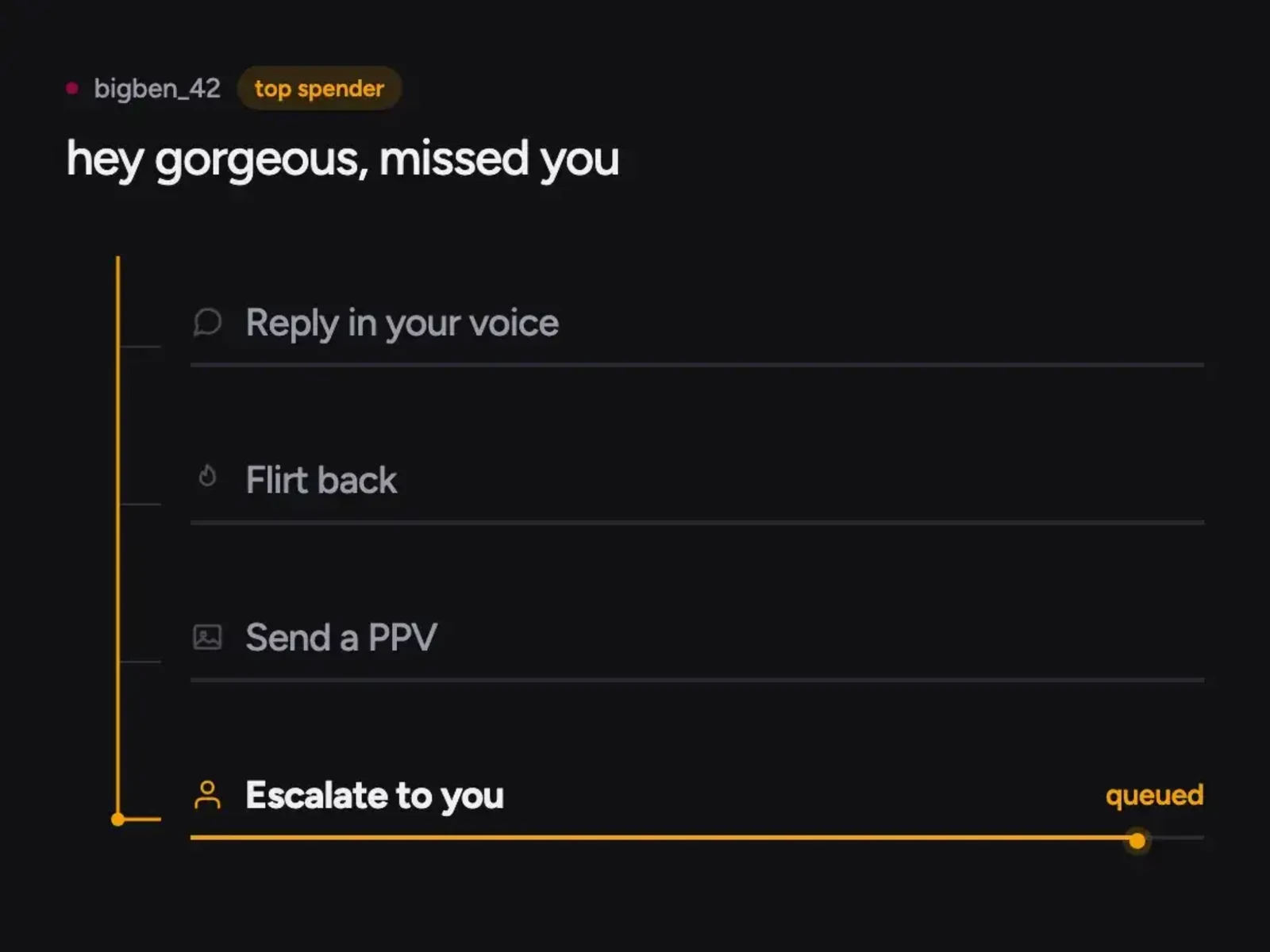
Sassychat’s official promotional workflow shows an incoming DM moving toward an in-voice reply, a PPV action, or escalation to the creator.
Sassychat, a reply copilot, and a human chatter
| Approach | Who writes | Who sends | Use of fan context | PPV handling | Human judgment | Main control question |
|---|---|---|---|---|---|---|
| Sassychat autonomous agent | AI drafts the message under the configured persona | AI can send without individual review | Uses available preferences, purchases, and conversation stage | Can offer creator-owned vault media and bundles | Humans define rules and take over selected chats | Which messages and commercial decisions may the agent make alone? |
| Reply-suggestion copilot | AI proposes text | Creator or chatter approves and sends | Varies by tool; may use the visible thread or CRM data | Usually suggests an offer for human approval | Present before every sent message | How much context can the reviewer see, and how quickly can suggestions be checked? |
| Human chatter | A person writes directly | The person sends | Depends on training, notes, CRM records, and attention | A person selects, prices, and sends offers | Present throughout the interaction | How are voice, boundaries, account access, and escalation managed? |
The right model depends on the conversation. Full autonomy can cover more chats, a copilot retains message-level approval, and a human chatter can apply judgment in unusual or relationship-sensitive situations. An operation can divide fans and conversation types among all three models.
What autonomous sending changes
Autonomous sending makes the rules configured before launch especially important. Sassychat’s terms allow the AI to send messages without individual review, quote prices, make offers, and take custom-content requests. Those terms also leave responsibility for sent messages and connected-platform requirements with the user.
A creator or agency needs clear boundaries for:
- Minimum and maximum offer prices.
- Discounts and negotiation.
- Which custom requests may be acknowledged or accepted.
- Subjects the agent must avoid.
- Fans who must remain human-managed.
- Complaints, disputes, and sensitive questions.
- Approval checkpoints for unusual or high-value offers.
- Conditions that stop automation immediately.
Sassychat documents session stopping, human takeover, and routing for selected fans. Its public pages do not clearly describe every possible approval rule, however. Before enabling broad autonomy, confirm whether controls can be applied by price, message type, fan segment, and custom-request category.
Persona calibration: make the agent sound intentional
A usable persona needs operational instructions. Broad adjectives such as “friendly” or “playful” leave too much room for inconsistent replies. A practical calibration process should define:
- Personality: A clear combination such as calm and attentive, energetic and teasing, or direct and playful.
- Tone: How the voice changes between greetings, ordinary conversation, offers, uncertainty, and complaints.
- Emoji style: Which emojis fit, how often they appear, and when none should be used.
- Heat level: The acceptable intensity and the points at which a human should take over.
- Language behavior: Whether to follow the fan’s detected language and what to do when meaning is uncertain.
- Forms of address: Preferred names, terms of affection, and phrases that are never appropriate.
- Offer style: A direct pitch, conversational lead-in, limited choices, or another approved pattern.
- Response length: Expected length for routine replies, sales messages, and complex questions.
Representative creator-written messages can help establish the intended voice, though exact imitation should not be assumed. Review ordinary chats, sales conversations, uncertain requests, and boundary cases separately. A persona that works well in greetings may still become repetitive or inconsistent during negotiation.
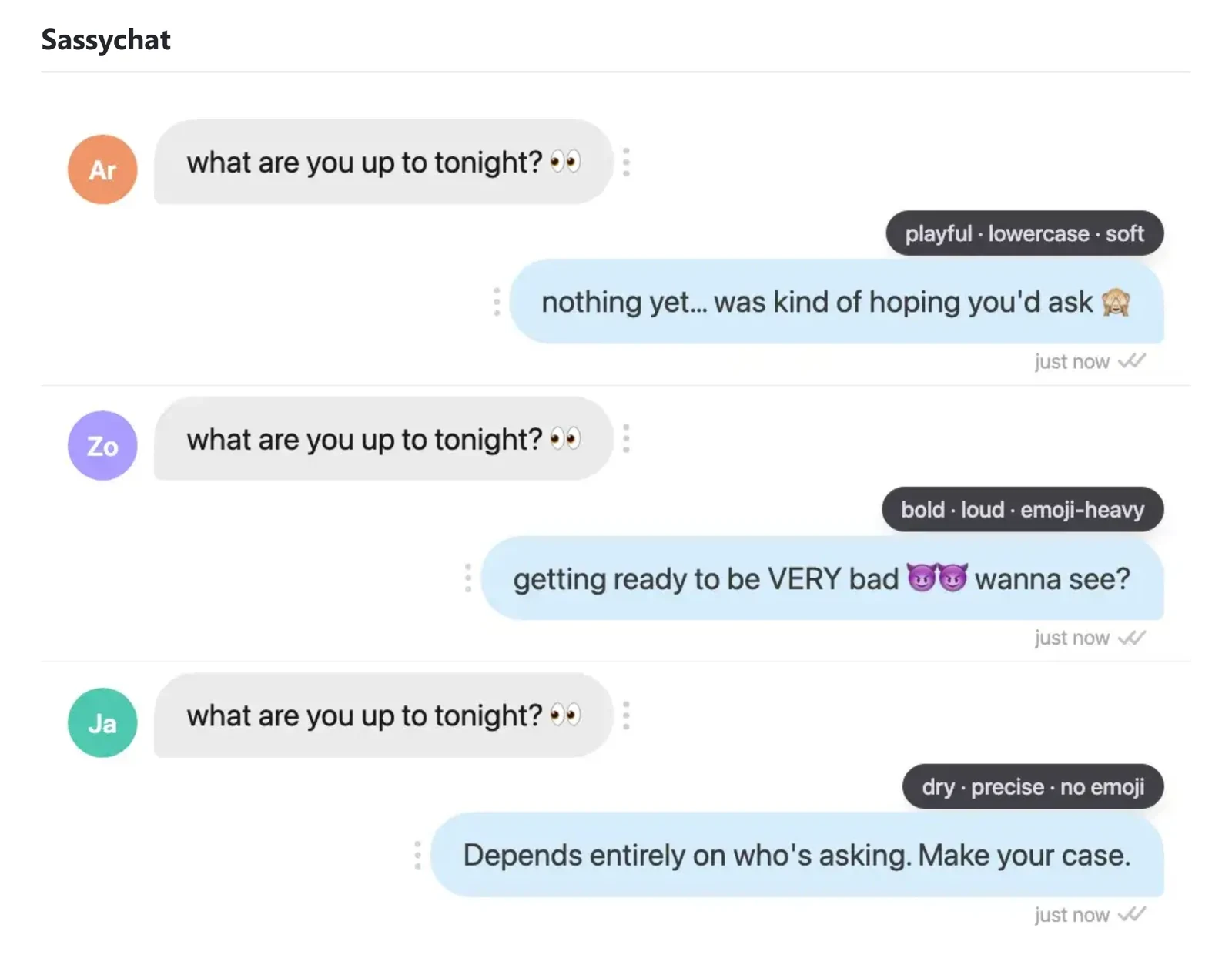
The same prompt can produce markedly different Sassychat replies when tone, wording, and emoji behavior are calibrated deliberately.
Fan memory and buying context
Sassychat says it combines fan preferences, purchase history, and conversation stage when deciding what to send next. Each signal has a different role. Preferences suggest what the fan enjoys, purchase records help prevent irrelevant offers, and conversation stage indicates whether to keep chatting, make an offer, wait, or escalate.
For example, a returning fan who previously bought video bundles might ask what is new. The agent could acknowledge that interest, continue the conversation, and offer a relevant creator-owned bundle. If the fan requests an unusual customization or negotiates outside the approved range, the conversation could move to a human.
During evaluation, test whether the system avoids duplicate offers, distinguishes purchases from expressed interests, and handles missing or conflicting context without inventing familiarity. This example illustrates the intended workflow; it is not an observed Sassychat session.
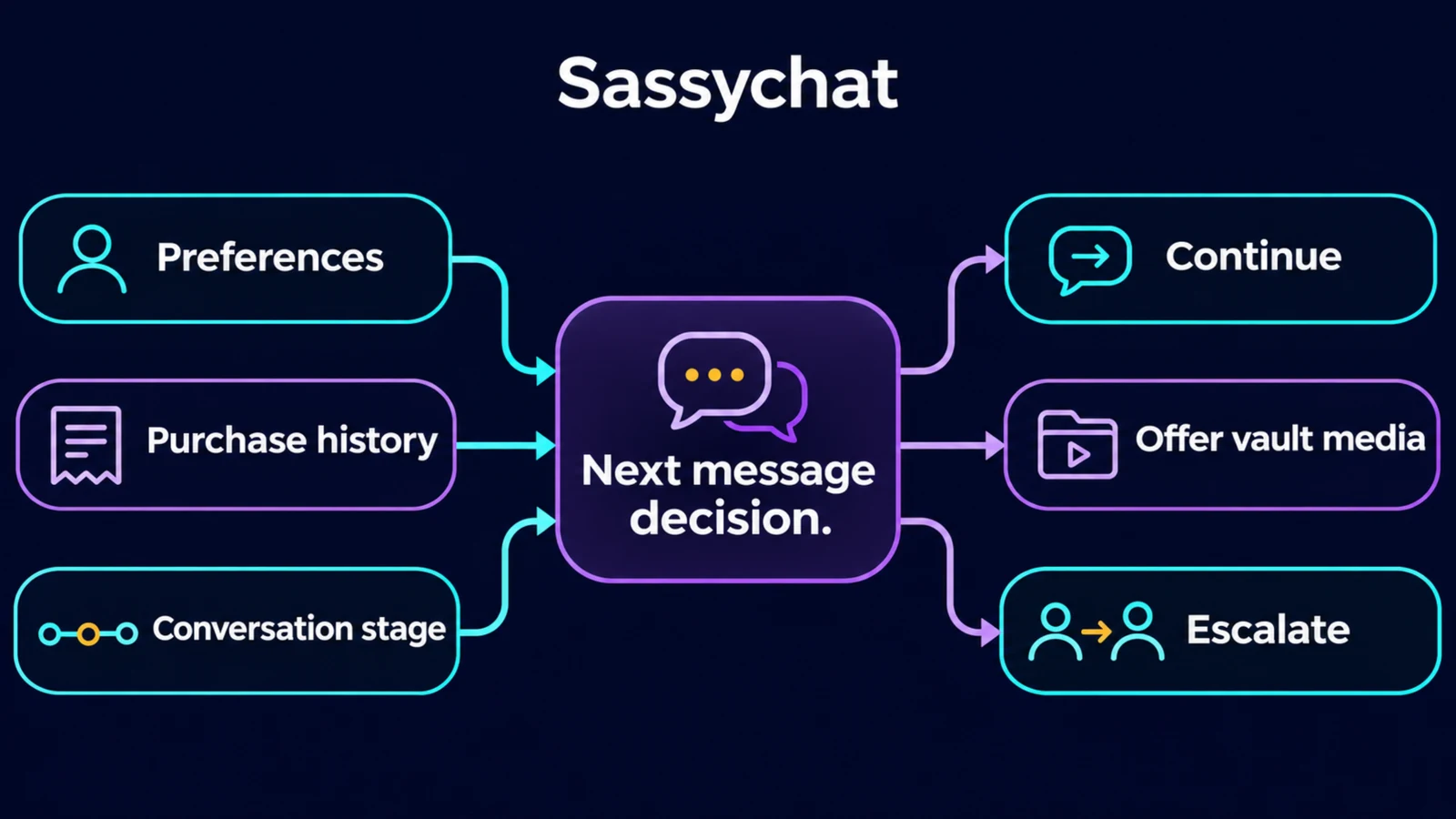
Conceptual map of how Sassychat says fan context can shape a next-message decision; it does not display real fan records or an observed session.
Pay-to-unlock content and AI-attributed sales
Sassychat describes a flow in which conversational buying intent can lead to a priced photo, video, or bundle from the creator’s vault. Asset labels matter here. Poorly named bundles and individual files can lead to mismatched offers even when the timing is appropriate.
As of November 26, 2026, Sassychat’s public pricing lists Basic at $29 per account per month, or $24 with annual billing, plus 10% of net AI-generated sales. Pro is listed at $59 monthly, or $49 with annual billing, plus 8.5%. Agency pricing is custom. The site also advertises seven days and $100 in trial credit after the first account is approved, with no card required. These are Sassychat’s published terms and may change.
Under Sassychat’s terms, a sale is attributed to AI when the purchased or unlocked message was composed and sent automatically by the AI Assistant. Commission is calculated after the platform cut, with reversals described for refunds or chargebacks.
Attribution does not demonstrate independently verified incremental revenue. Before relying on the dashboard, ask:
- What exact event gives the AI credit?
- What happens if a human participated earlier or took over later?
- How are delayed purchases, failed payments, refunds, and chargebacks represented?
- Can the underlying transactions be exported?
- Can totals be reconciled with the platform’s own records?
Revenue, attribution, and conversion figures shown in Sassychat’s promotional dashboard are vendor examples rather than NSFWAITool benchmarks.
Re-engagement and human handoff
Sassychat claims it can restart conversations with quiet fans and route selected conversations or high-value fans to a person. Re-engagement involves more than setting a delay. Operators should also define cadence, eligible fan segments, duplicate-offer prevention, and conditions that stop future outreach.
Useful escalation categories include:
- High spend or high lifetime value.
- Custom-content requests.
- Complaints, refunds, or service problems.
- Sensitive questions or ambiguous boundaries.
- Negotiation outside approved prices.
- Unusual wording or uncertain language detection.
- Requests requiring the creator’s personal knowledge or judgment.
Agencies should define who owns each handoff, the expected response time, and the context transferred with it. A useful handoff includes the thread, relevant purchases, stated preferences, escalation reason, and any pending offer. A simple attention flag is rarely enough.
A practical Sassychat setup checklist
- Confirm the platform and account workflow. Verify current OnlyFans or Fansly requirements and the account types Sassychat supports.
- Review desktop and connection requirements. Determine what must remain running and what happens when a device, session, or platform login disconnects.
- Define the persona and multilingual behavior. Configure tone, emoji use, heat level, forms of address, uncertainty handling, and language switching.
- Organize the vault. Clearly label photos, videos, bundles, themes, prices, exclusions, and previously sold items.
- Set commercial limits. Establish price floors, ceilings, discounts, offer frequency, and custom-request boundaries.
- Choose human-only cases. Identify fans and conversation categories that require approval or immediate escalation.
- Configure re-engagement boundaries. Set eligible segments, cadence, quiet periods, and stop conditions.
- Run controlled scenarios. Test low-risk greetings, repeat buyers, uncertain intent, prior purchases, complaints, negotiation, and human takeover.
- Reconcile attributed activity. Compare AI-attributed messages and purchases with connected-platform records.
- Review quality and rules regularly. Check for repeated phrasing, persona drift, mismatched offers, excessive outreach, and failed escalations.
These steps expose weak points in the workflow but do not guarantee a particular conversion or revenue result.
Approval controls and questions to ask
Autonomy can be applied selectively. Routine conversations may run automatically, certain offers may require approval, and sensitive or high-value interactions may remain human-only.
Before deployment, confirm whether Sassychat supports approvals or restrictions by message type, price, fan segment, offer type, custom request, and escalation category. Determine what operators can pause, review, override, and audit. The public materials do not establish that every granular control is available.
Emergency control deserves its own test. Check whether an operator can immediately stop one conversation, one account, or every active session. Then verify whether the system retains a reviewable history of what the AI sent and why a conversation was handed over.
Data handling and privacy questions
Sassychat’s privacy policy says the service analyzes creator-written outbound messages to learn writing style. It also processes fan messages, purchases, persona settings, and conversation context, and may automatically decide what and when to send.
The company says platform passwords and login sessions remain on the user’s device. Message text, context, processed content, and some service or connection information may still be transmitted to hosted models or third-party providers. Desktop operation therefore does not mean fully local processing.
The policy describes limited retention for some AI requests and responses but does not provide a precise public duration. It also describes a 120-day recoverable window after an account-deletion request. Canceling the service and requesting account deletion are separate actions.
Use NSFWAITool’s privacy checklist for adult AI tools to examine storage, named providers, processing locations, retention, deletion scope, account access, incident handling, and fan data requests. Sassychat’s security descriptions remain operator statements rather than independent guarantees.
Disclosure and platform compatibility
Sassychat states that it supports OnlyFans and Fansly. That support does not guarantee that every autonomous workflow matches each platform’s current rules.
Creators should check how automated messaging, AI disclosure, third-party account access, and paid-content offers interact with the controls and requirements currently shown by each connected platform. NSFWAITool’s OnlyFans AI-label workflow offers disclosure and labeling context, although rules for labeling media do not settle questions about automated DMs.
Fansly requires particular attention. Sassychat advertises autonomous Fansly messaging, while the current Fansly terms supplied for this review include human-oversight language concerning AI-generated personalized interactions. Fansly also provides its own trigger-based automated messages, with controls for delays, cooldowns, audiences, and locked media. These native triggers differ from autonomous contextual replies.
Ask both providers how the planned setup fits their current requirements before enabling unattended sending. Creators reconsidering their platform mix can also compare Fansly alternatives, since automation and account-access workflows vary by platform.
Where AI fits—and where a person still matters
AI suits repetitive inbox coverage, quick context retrieval, consistent routine replies, structured offer timing, and re-engagement at scale. A person remains valuable for nuanced negotiation, unusual requests, complaints, high-value relationships, uncertain boundaries, personal knowledge, and decisions that affect the creator’s brand.
The practical task is to identify which conversations can be standardized without weakening judgment or relationship quality. NSFWAITool’s analysis of AI influencers versus real creators examines the wider difference between scalable persona performance and a relationship shaped by a real creator’s judgment and presence.
How NSFWAITool would evaluate Sassychat
Following NSFWAITool’s review methodology, a product-specific evaluation should:
- Verify public features, prices, terms, and documentation.
- Inspect autonomous, approval, pause, takeover, and audit controls.
- Test persona consistency across routine, sales, uncertain, and difficult conversations.
- Exercise escalation rules with controlled scenarios.
- Compare AI-attributed sales with platform records.
- Inspect local and remote data flows, retention, providers, and deletion.
- Confirm current platform compatibility instead of relying on a support logo.
- Separate vendor dashboard examples from independently observed findings.
This framework does not indicate that NSFWAITool has completed a full hands-on test.
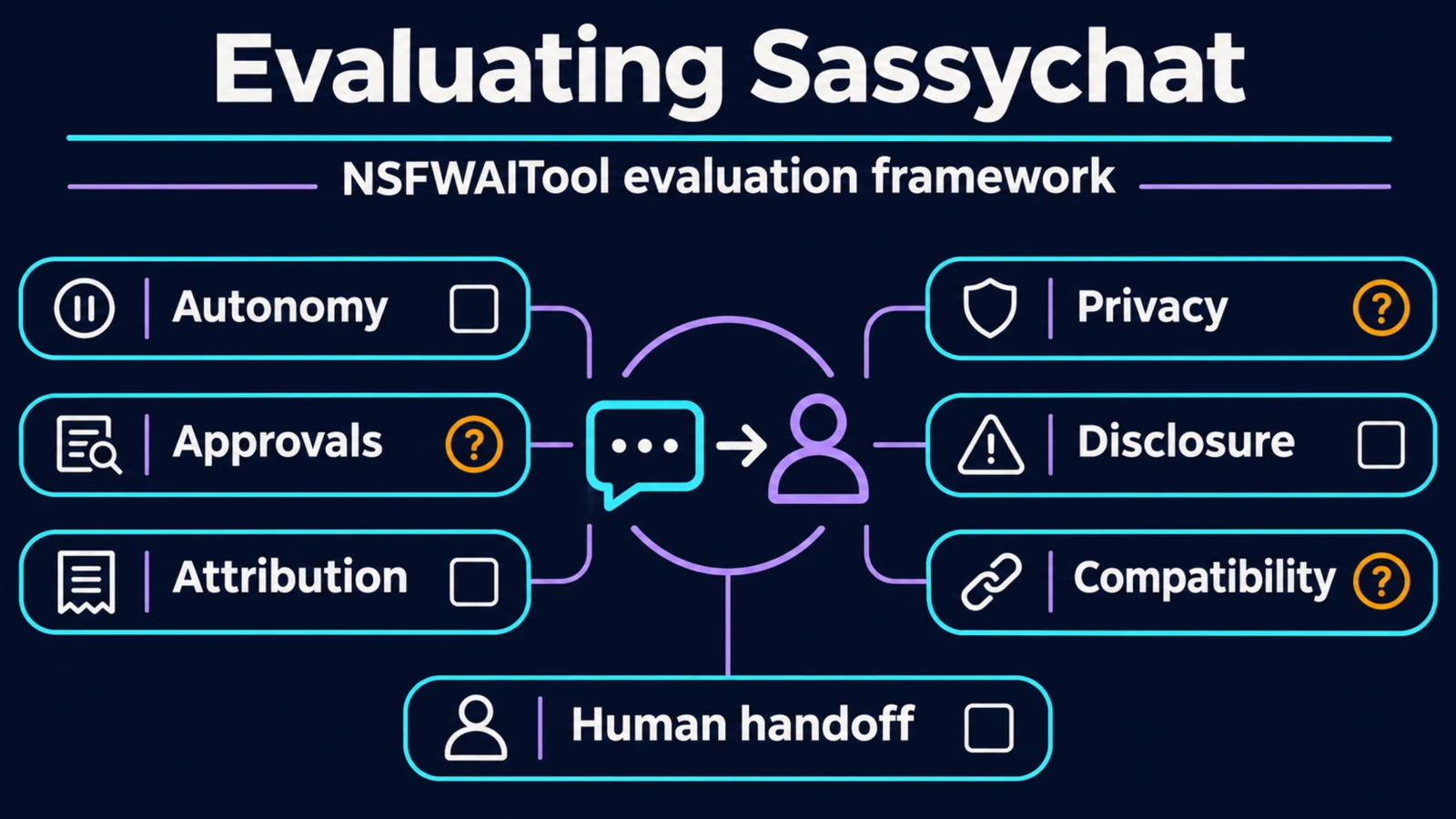
A neutral checklist of the controls and evidence areas to examine before expanding Sassychat automation; the symbols do not represent test results.
What Sassychat’s public pages leave unanswered
Sassychat’s public pages do not provide a clear official launch date. Dates attached to its terms or privacy documents should not be used as launch dates.
The pages also do not establish that desktop operation is fully local, offer abundant independent user evidence, or document every detail of granular approvals, retention, exports, reconciliation, and platform compatibility. Those points need confirmation rather than assumptions.
FAQ
Is Sassychat a chatbot or an autonomous agent?
It is best described as an autonomous messaging agent with fan-context and CRM-like functions. It can write and send messages, offer content, and route conversations.
Does Sassychat send messages without approval?
Yes. Its terms say the AI Assistant may compose and send messages without individual review. Operators should confirm the available limits, takeover controls, and selective approval options.
Does Sassychat create adult content?
The vault-selling workflow described on its public pages uses photos, videos, and bundles already supplied in the creator’s vault. It is not presented as generating that media.
Can it send pay-to-unlock media?
Sassychat says it can send priced, creator-owned vault media when a conversation indicates buying intent.
How does it know what a fan likes?
According to Sassychat, it uses available preferences, purchase history, conversation context, and conversation stage.
Does it replace a human chatter?
It can automate tasks that a chatter might otherwise perform. Human judgment is still useful for sensitive, unusual, high-value, and brand-dependent conversations.
Does it support OnlyFans and Fansly?
Sassychat advertises support for both. Current account-access, automation, disclosure, and human-oversight requirements still need to be checked with each platform.
Does Sassychat publish a launch date?
No clear launch date appears on the official public pages reviewed.
Is Sassychat fully local?
Its public information does not support that conclusion. Passwords and platform sessions are described as local, while some message and service data may be processed elsewhere.
How should an agency evaluate its sales claims?
Define the attribution event, reconcile AI-credited purchases with platform records, account for human involvement, include refunds and chargebacks, and treat promotional dashboard figures as vendor examples.
Start by dividing the current DM operation into five categories: routine replies, sales offers, custom requests, re-engagement, and human-only conversations. For each category, check whether Sassychat provides enough control, visibility, and auditability before expanding autonomous sending.