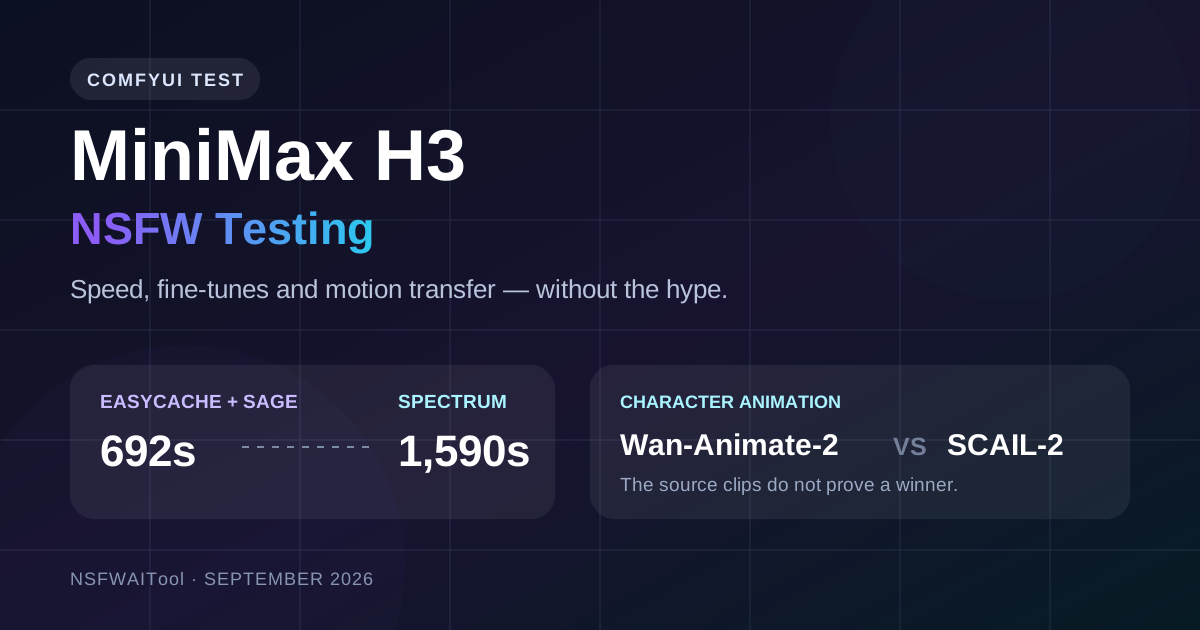
Yesterday I finished testing one MiniMax H3 acceleration setup. Today another one landed.
Of course it did.
That is ComfyUI in 2026: your benchmark is barely cold before somebody releases a new node and makes the whole thing feel out of date. Yesterday's setup was EasyCache plus SageAttention. Today's additions were Spectrum and another speed plugin circulating in the Chinese ComfyUI community. At roughly the same time, Wan-Animate-2 finally went open source, which gave me one more excuse to compare it with SCAIL-2.
So this turned into three tests rather than one:
- EasyCache + SageAttention versus Spectrum on MiniMax H3;
- the regular H3 output versus a community-made NSFW fine-tune;
- Wan-Animate-2 versus SCAIL-2 for character animation.
The short version: EasyCache won the timing test by a mile, the published NSFW clip proves less than the prompt claims, and the two character-animation samples are nowhere near controlled enough to crown a winner. The longer version is more interesting.
Editor's note: This is a native-English adaptation of hands-on notes originally published by 赵KK搞AI on WeChat, not a line-by-line translation. First-person test results and opinions are retained from the original author; technical context and caveats were checked against the official project repositories.
First, the speed test: 692 seconds versus 1,590 seconds
Both MiniMax H3 runs generated a 15-second vertical clip at 544 × 960. The EasyCache + SageAttention workflow finished in 692.69 seconds, or about 11 minutes 33 seconds. Spectrum took 1,590.15 seconds, or about 26 minutes 30 seconds.
That makes EasyCache + SageAttention roughly 2.3× faster in this run. It cut the waiting time by a little over 56%.
| MiniMax H3 setup | Output | Measured time | Relative result |
|---|---|---|---|
| EasyCache + SageAttention | 15s, 544 × 960 | 692.69s | 1.0× |
| Spectrum | 15s, 544 × 960 | 1,590.15s | 2.3× longer |
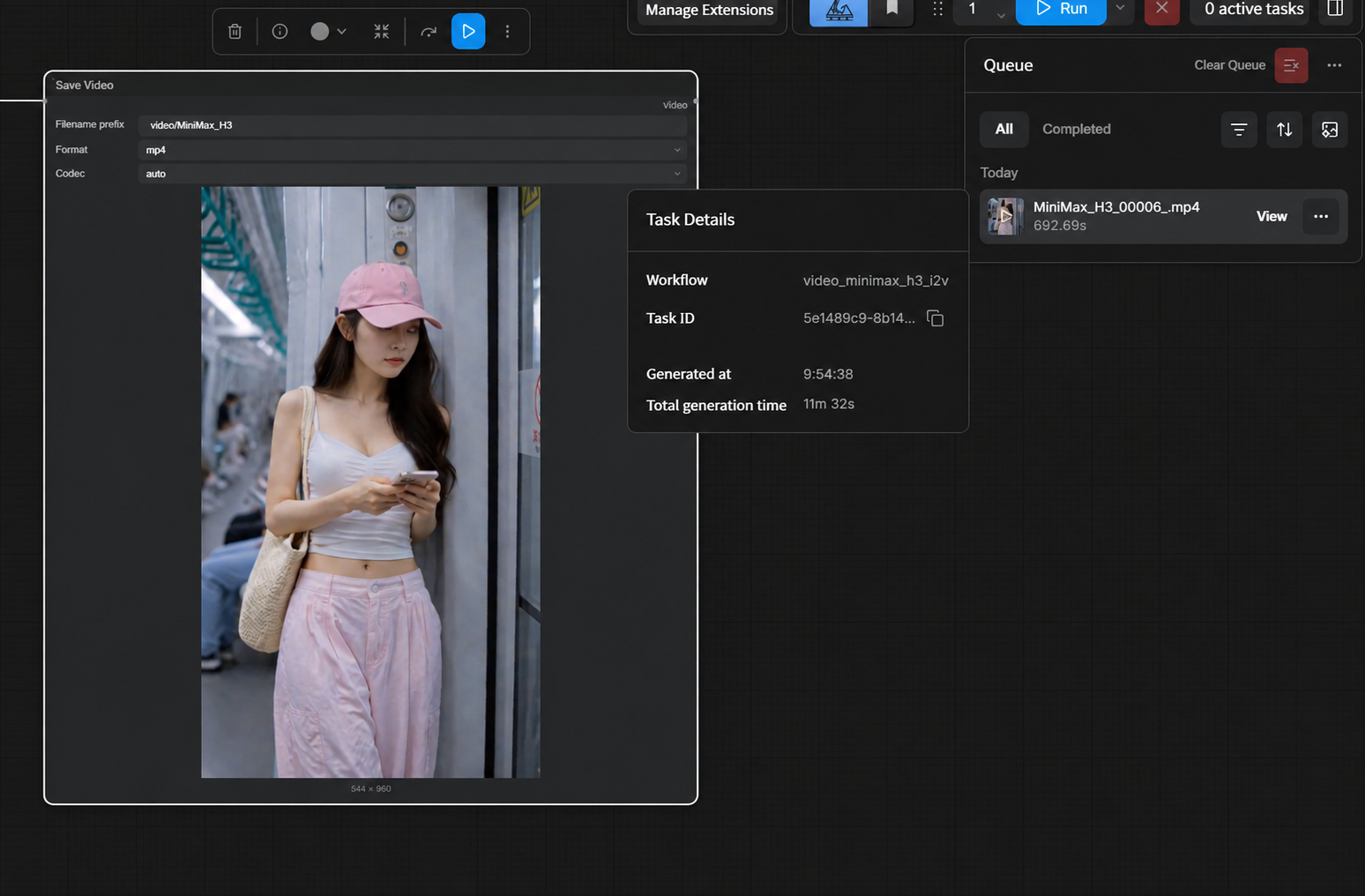
The EasyCache + SageAttention run as recorded in ComfyUI. Source image: 赵KK搞AI.
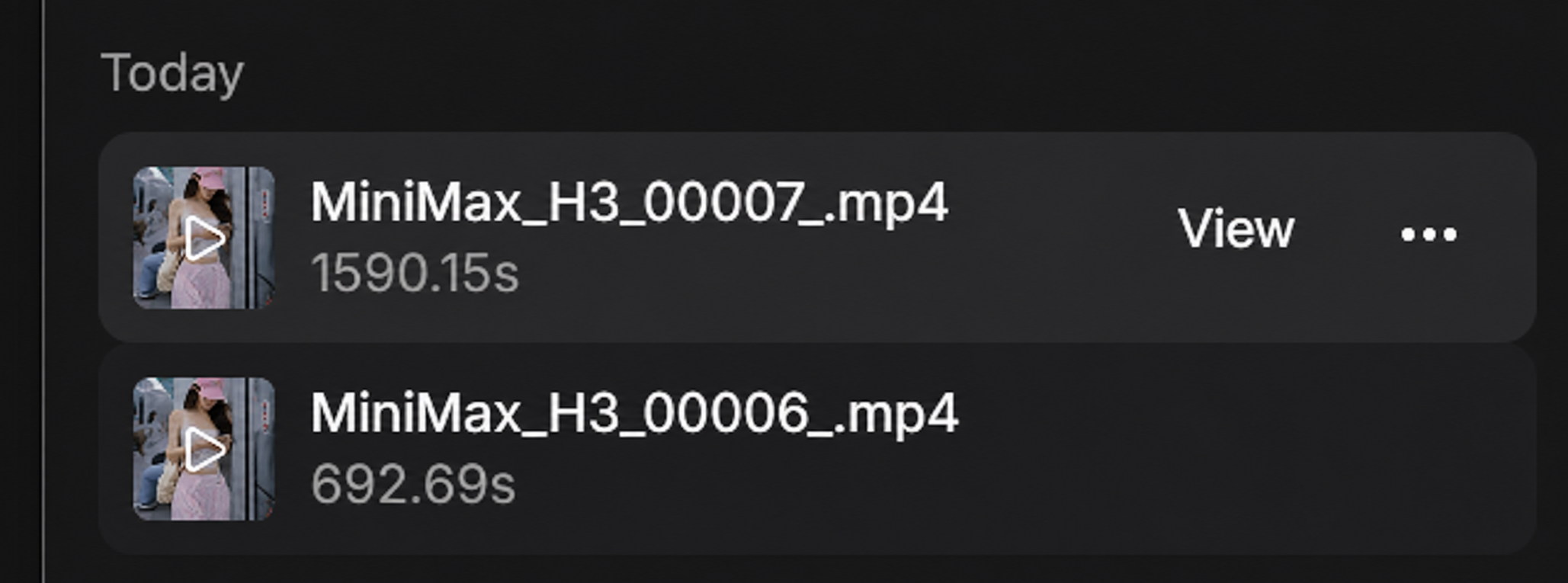
The two recorded task times. This is the useful screenshot; it saves us from pretending “felt faster” is a benchmark. Source image: 赵KK搞AI.
The 15-second MiniMax H3 output attached to the acceleration test. Source video: 赵KK搞AI.
Before anyone turns that 2.3× figure into a universal law: don't. The article does not provide a full reproducibility sheet with GPU model, software versions, seeds, sampling parameters, and per-node settings. This is one real workflow result, not a peer-reviewed speed leaderboard.
Still, a difference this large is not nothing. If my only question were “which setup gets me another draft sooner on this machine?”, EasyCache + SageAttention would be the obvious first choice.
Why EasyCache was faster here
The two accelerators are not doing the same trick.
EasyCache is the more aggressive approach. In plain English, it tries to reuse work from earlier denoising steps instead of running the full calculation again every time. When the generation remains stable, that can save a lot of compute. The risk is equally easy to understand: if the cached estimate starts drifting, the error can accumulate.
Spectrum is more restrained. Its ComfyUI implementation uses feature forecasting—Chebyshev forecasting and ridge regression—to predict intermediate transformer features, then lets the model continue refining the result. It is less like photocopying the previous pass and more like sketching the next one from the recent trajectory before the model cleans it up.
That makes Spectrum technically interesting. It did not make it fast in this particular test.
| What it changes | EasyCache + SageAttention | Spectrum |
|---|---|---|
| Basic idea | Reuse prior computation and reduce attention cost | Forecast intermediate features from recent history |
| Where the gain comes from | Skipping more repeated work | Avoiding some transformer computation |
| Likely trade-off | More opportunity for accumulated drift | More conservative acceleration |
| Result in this test | 692.69s | 1,590.15s |
What is missing is a proper visual A/B: same seed, same source, same prompt, same sampling settings, both outputs available at full quality. Without that, I can tell you which run finished first. I cannot honestly tell you which method preserved more detail.
That distinction matters. It is also how we try to separate a provider claim from an observable result in the NSFWAITool review methodology. A stopwatch can prove speed. It cannot prove image quality by itself.
The “NSFW MiniMax H3 model” needs an asterisk
The NSFW version discussed here was not an official MiniMax release. The official MiniMax H3 repository describes a general-purpose multimodal model. The adult-oriented build came from an independent community fine-tuner who reportedly tested five versions.
The link disappeared quickly and was already returning a 404 when checked. That is annoying, but it is also normal in this corner of open-source AI: a model can be released, mirrored, renamed, or deleted before most people finish downloading it. If a production workflow depends on one unverified community repository staying online forever, the workflow does not really exist yet.
The original test used a long, multi-camera fashion prompt for the baseline. It specified a vertical 15-second reel, multiple lenses and angles, consistent styling, music, lighting, and identity across cuts. The normal H3 result is below.
Baseline MiniMax H3 fashion output. The visible “V” mark is part of the source clip and has been retained. Source video: 赵KK搞AI.
For the adult test, the prompt kept the same multi-camera structure but changed the wardrobe progression into an explicit undressing sequence. That is a sensible way to test a fine-tune: preserve the shot design and alter the behavior you actually want to measure.
Here is the public result included with the original article:
Published teaser for the community NSFW fine-tune. The original Chinese captions have been replaced with English subtitles; the “V” mark remains part of the source video. Source video: 赵KK搞AI.
And here is where I have to spoil the marketing a little: the public clip does not show the full undressing sequence described in the prompt. It stays clothed and ends with a teasing line that amounts to, “If you really want to see it, try it yourself.” Funny? Yes. Evidence of the complete uncensored behavior? No.
So I would treat this as evidence that a community NSFW H3 fine-tune existed and could produce a coherent adult-themed teaser. I would not use the public clip as proof that it completed every explicit instruction. Those are two different claims, and squashing them together is how AI demos turn into nonsense.
If you are comparing hosted and local adult-video options, the broader AI porn video generator directory is a better starting point than betting everything on a deleted repository.
Wan-Animate-2 went open source, so yes, I tested that too
Wan-Animate-2 released its inference code and model weights in August 2026. The project drives a reference character directly from a source video while trying to preserve identity, motion, expression, and camera behavior. It is an end-to-end system, so it does not need a separate pose extractor sitting in the middle of the pipeline.
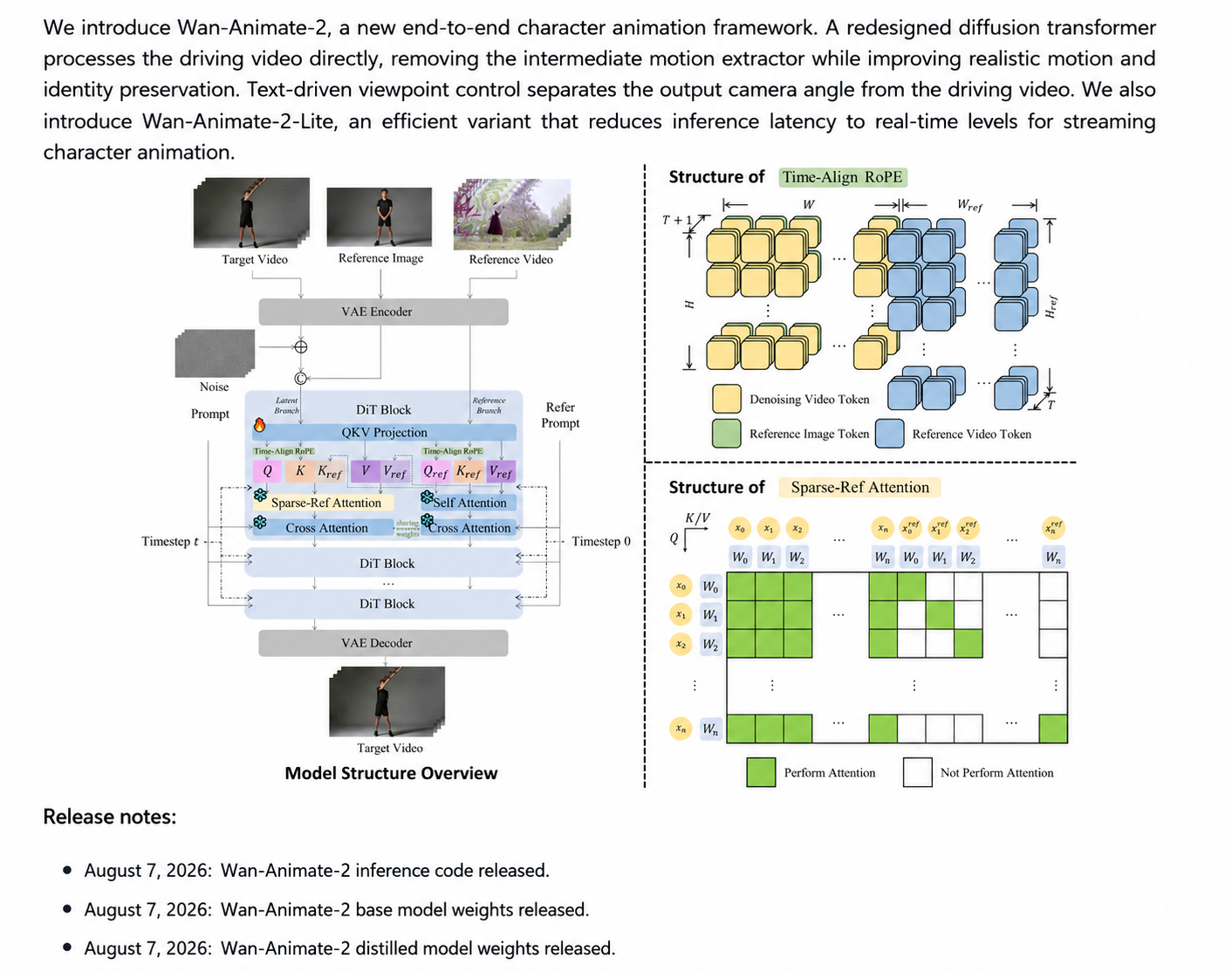
Wan-Animate-2 pipeline overview included in the original article. Source image: 赵KK搞AI; technical details: Wan-Animate-2 project.
Quick detour, because apparently this still needs saying: Wan 3.0 is not open source. That is disappointing. It does not make anonymous abuse aimed at the developers clever or principled. You are using models other people spent months building, then acting personally betrayed because they did not hand you the next one on your preferred schedule. If you can build Wan 4.0 yourself, please do. I will be first in line asking you to release the weights.
Wan-Animate-2 being open sourced does not magically settle the Wan 3.0 argument, but it is still a meaningful release. The Wan ecosystem remains one of the few places where people can actually inspect, modify, and wire the model into a private ComfyUI pipeline. That matters even more for adult projects, where hosted products may not allow the material at all. Our longer Wan 2.2 adult short-film workflow explains why local control becomes a production requirement once a project grows beyond a few clips.
The Wan-Animate-2 setup has one easily missed step
Before running the animation, the reference image should be described with an LLM. The official project recommends an objective description of the character's appearance and background while excluding actions, subjective judgments, and emotional speculation.
In natural English, the instruction is basically:
Describe only what is visibly present in the reference image. Cover the subject's appearance, clothing, hair, accessories, and the background. Do not describe actions. Do not guess personality, mood, or intent.
That sounds fussy until you see why it helps. The driving video already supplies the action. If the text description invents another action, you have given the model two directors shouting different instructions.
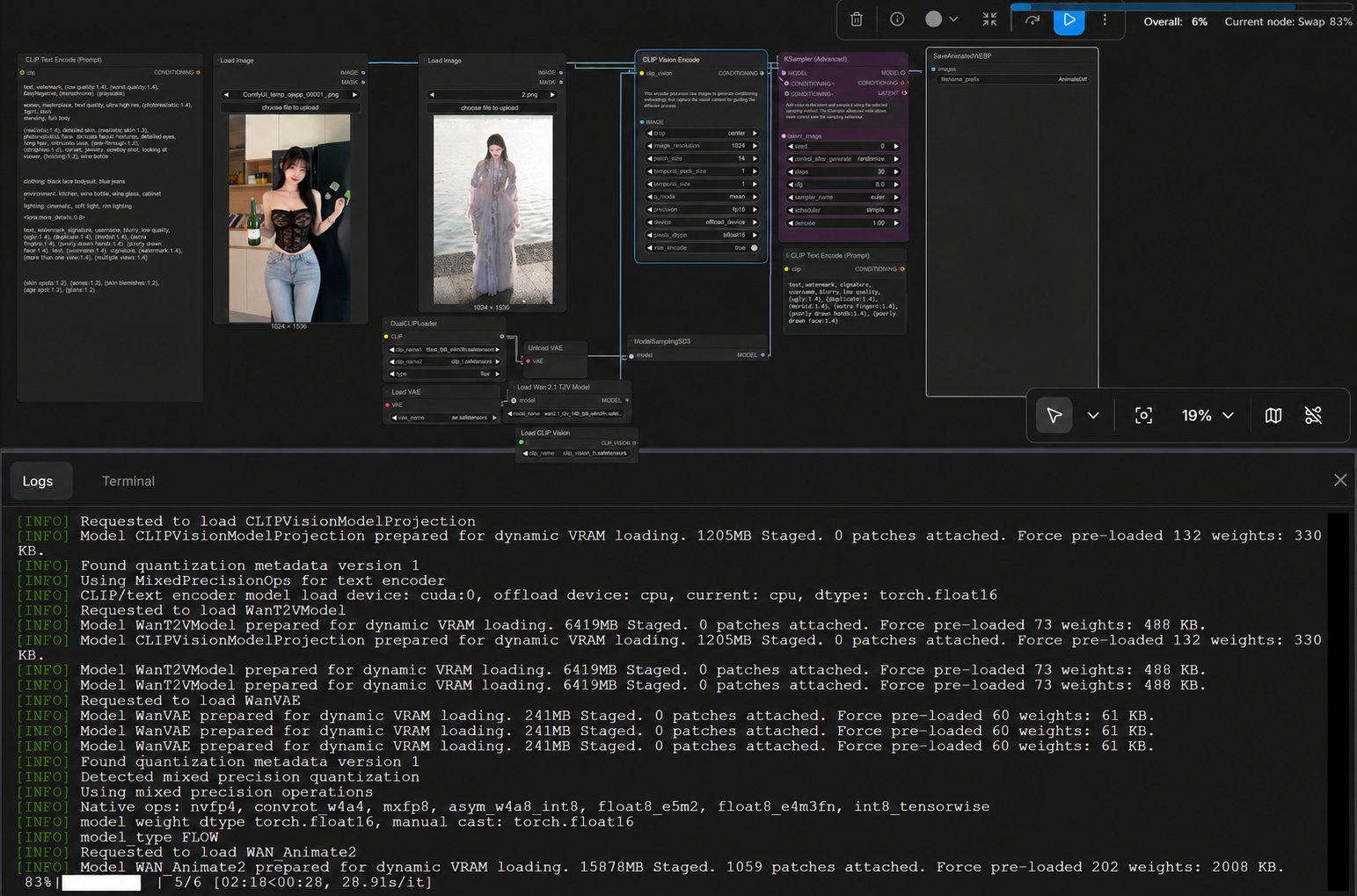
Wan-Animate-2 in ComfyUI. Source image: 赵KK搞AI.
The other setting people get wrong is frame length. At 24 fps, the math is simple:
duration in seconds × 24 = target frame count
The workflow shown in the source uses 81-frame chunks, so longer clips require several passes.
| Target duration | Frames at 24 fps | 81-frame chunks needed |
|---|---|---|
| 3 seconds | 72 | 1 |
| 5 seconds | 120 | 2 |
| 8 seconds | 192 | 3 |
| 10 seconds | 240 | 3 |
| 15 seconds | 360 | 5 |
| 30 seconds | 720 | 9 |
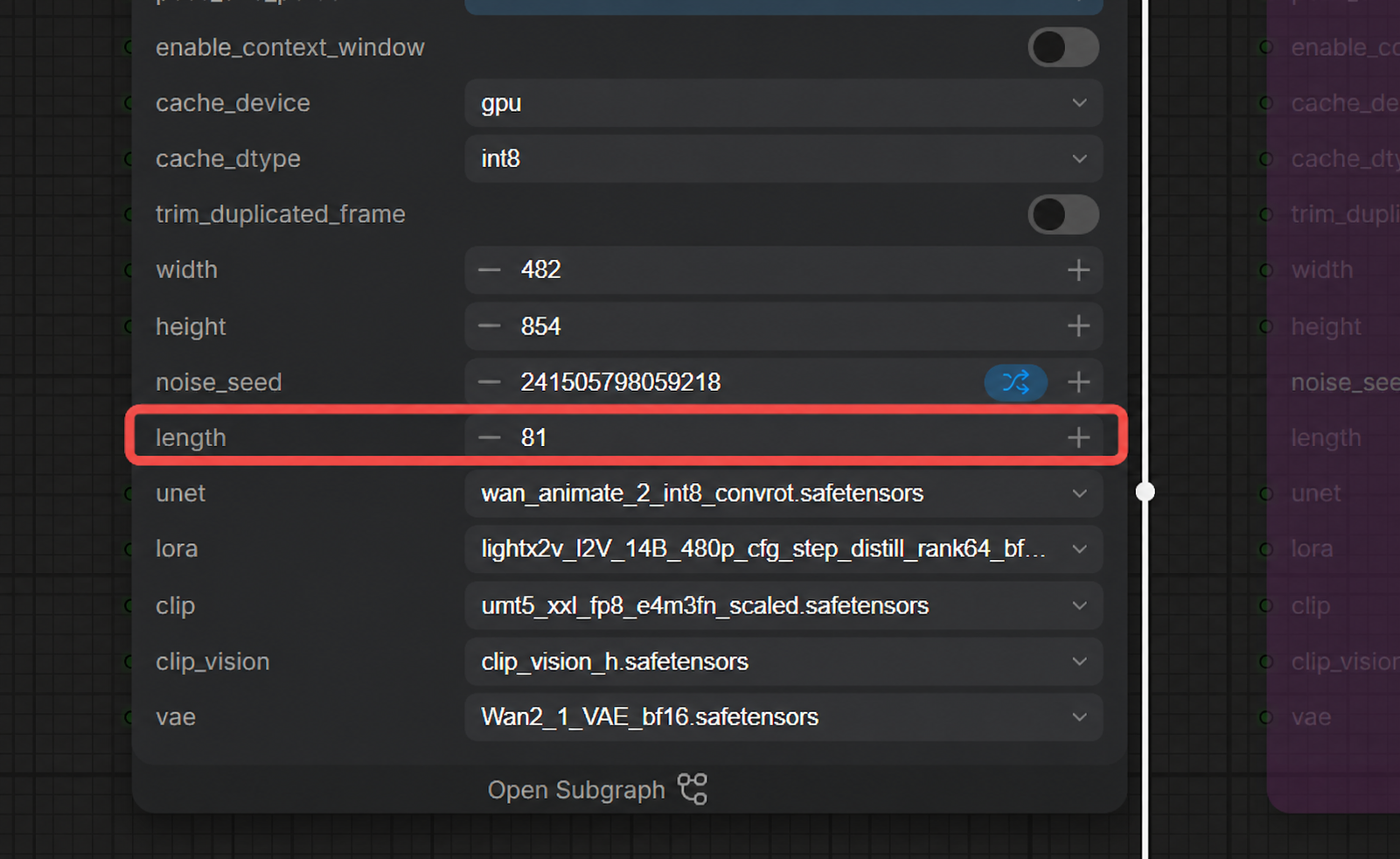
The 81-frame length setting used in the workflow. Source image: 赵KK搞AI.
The official repository's default 720p setup is tuned for eight A800 GPUs, with a tested 480p configuration on two A800s. That is not a friendly little “click Queue Prompt on my laptop” requirement. Community optimizations will keep pushing the memory floor down, but anyone writing about this as if local character animation were free has clearly never watched a progress bar crawl across a real workflow.
Wan-Animate-2 versus SCAIL-2: the clips do not prove a winner
The SCAIL-2 project takes a similar end-to-end route. It avoids an intermediate pose representation and adds mask semantics plus multi-reference conditioning. Its official release supports 512p and 704p workflows, with the project recommending the pose-driven variant at 704p.
Here is the Wan-Animate-2 sample preserved from the original article:
Wan-Animate-2 sample. The source file rapidly alternates the driving/reference view and generated character; it is reproduced here without alteration. Source video: 赵KK搞AI.
And here is the SCAIL-2 sample:
SCAIL-2 character-animation sample. Source video: 赵KK搞AI.
I am not going to announce a winner from these two clips, because that would be fake precision. They use different characters, different motion sources, different framing, and different durations. The Wan-Animate-2 upload is only about 2.7 seconds and alternates views so quickly that temporal defects are hard to judge. The SCAIL-2 clip runs for almost nine seconds and is much easier to inspect, but “easier to inspect” is not the same thing as “better model.”
A real comparison needs the same reference image, driving video, resolution, frame count, hardware, seed policy, and post-processing. Then I would score identity retention, hand stability, occlusion recovery, facial expression, cloth motion, background leakage, and total render time. Anything less is a demo reel comparison.
What I would actually use after these tests
For MiniMax H3 iteration speed, I would start with EasyCache + SageAttention. The gap in this run is too large to ignore. I would still render a handful of matched samples before accepting the quality trade-off, because speed that quietly damages faces or motion is not speed—it is just generating rejects faster.
I would treat Spectrum as the interesting, more conservative alternative, not the winner of this timing round. It deserves a controlled quality test, especially if EasyCache starts accumulating visible errors in a longer or more difficult shot.
For the community NSFW H3 fine-tune, I would wait for a stable repository, model card, version history, and reproducible samples. A vanished link and a coy teaser are enough to make me curious. They are not enough to build a production workflow around.
For Wan-Animate-2 versus SCAIL-2, I would run my own matched inputs. Both projects are open enough to deserve serious testing. The samples in the original article simply do not answer the question.
That may sound less exciting than “Model A destroys Model B,” but it is much more useful. There is already enough fake certainty in AI benchmarking. We do not need to manufacture another winner from two unrelated videos.
Frequently asked questions
Is MiniMax H3 officially an NSFW model?
No. MiniMax H3 is a general-purpose multimodal model. The NSFW build discussed here was an independent community fine-tune, not an official MiniMax release.
Is EasyCache always faster than Spectrum on MiniMax H3?
Not proven. EasyCache + SageAttention was about 2.3× faster in this specific 15-second, 544 × 960 test. Different hardware, seeds, node versions, and quality settings could change the result.
Did the public NSFW demo complete the full explicit prompt?
The published clip does not show that. It remains clothed and ends as a teaser, so it cannot verify the full undressing sequence described in the prompt.
Is Wan-Animate-2 better than SCAIL-2?
The two source clips are not a controlled comparison. They use different inputs and lengths, so they show that both workflows run—not which one is better.
Why does the Wan-Animate-2 workflow use 81 frames?
That is the chunk length used in the demonstrated ComfyUI workflow. At 24 fps, longer targets are divided across multiple 81-frame chunks and then assembled.
How much GPU hardware does Wan-Animate-2 need?
The official project documents a default 720p setup on eight A800 GPUs and a tested 480p setup on two A800s. Community nodes and offloading may reduce the requirement, usually at the cost of speed.
Can these models be used for adult content?
Local availability does not remove legal or consent requirements. Use only clearly adult characters and properly licensed reference images, voices, and driving footage. Do not create intimate deepfakes of real people without consent.