Contents
- Why so many directory listings look alike
- Test every option like-for-like
- Why commercial AI video gets expensive quickly
- What self-hosting really costs
- Wan 2.2: a documented consumer-GPU path
- MiniMax H3: short clips, native stereo audio, and licensing conditions
- Wan 2.2 vs MiniMax H3
- Total-cost-of-ownership worksheet
- A practical break-even framework
- The decision rule
- FAQ Use an NSFW AI directory to discover products and build a shortlist, not as a universal scorecard. A commercial video service usually fits occasional generation, people who value a polished interface, and anyone who does not want to maintain GPU infrastructure. Wan 2.2 and MiniMax H3 become worth investigating when the workload is consistently large, local AI workflows are manageable, and the measured cost per usable output is lower after hardware, retries, electricity, storage, maintenance, and time are included.
A hybrid setup often works well: use hosted tools for quick experiments, then move repeatable production to a local machine or rented GPU.
Many NSFW AI sites look similar because much of the market clusters around face swap, AI chat, companions, image animation, and short video generation. Directory order alone cannot prove that one service is universally better, safer, more private, or more reliable than the entries below it.
| Dimension | Directory-led discovery | Commercial AI video service | Wan 2.2 local workflow | MiniMax H3 local workflow |
|---|---|---|---|---|
| Best use | Finding and narrowing options | Occasional generation and rapid production | Controlled T2V/I2V production on suitable hardware | Short video workflows where native audio or reference-driven generation matters |
| Output scope | Depends on listed products | Depends on the provider and plan | TI2V-5B supports text-to-video and image-to-video | Supports 4–15-second video with native stereo audio |
| Initial setup | Minimal | Account, payment, and uploads | Model download, environment, storage, and workflow configuration | Model download, ComfyUI or another supported stack, storage, and configuration |
| Recurring cost model | Usually free to browse | Subscription, credits, generation charges, or exports | Electricity, maintenance, storage, labor, and hardware amortization | Electricity, maintenance, storage, labor, possible authorization costs, and hardware amortization |
| Infrastructure | Website and browser | Provider-managed compute | Owned or rented GPU; official TI2V-5B documentation gives a 24 GB VRAM example such as RTX 4090 | Hardware needs vary by workflow, precision, offloading, and model files |
| Workflow control | Comparison only | Limited to exposed controls and presets | High control over nodes, files, models, and processing | High control over local base workflows, with limits around the current official 2K path |
| Moderation constraints | Vary by listed service | Provider rules can reject or restrict jobs | No hosted generation queue governs the local workflow | No hosted generation queue governs the local workflow, though license terms still apply |
| Privacy considerations | Directory use does not determine destination-site privacy | Uploads, prompts, retention, billing, and deletion depend on the provider | Files can remain under the operator’s control, subject to any connected services | Files can remain local during local stages; API-assisted stages introduce another data path |
| Maintenance | None beyond evaluating current listings | Provider handles models and infrastructure | Operator handles dependencies, updates, failures, and disk use | Operator handles dependencies, updates, memory management, and workflow changes |
| Support | Editorial information and outbound links | Customer support may be included | Community documentation and self-support | Official documentation, ComfyUI integration, community support, or separately purchased help |
| Licensing action | Check each destination | Check service terms | Review the Apache 2.0 release and licenses for connected components | Check the current MiniMax H3 Community License, territory, deployment, and commercial terms |
| Best-fit user | Anyone forming a shortlist | Occasional or nontechnical creator | Technically capable user with repeatable T2V/I2V volume | Technically capable user prioritizing short clips, references, and native audio |
Why so many directory listings look alike
Directory cards reduce products to a few visible signals: a name, thumbnail, short description, category, and visit button. Services with very different prices, retention rules, controls, and output quality can therefore appear interchangeable.
Market concentration adds to the similarity. The NSFWAITool collections for AI face-swap tools, AI sex-chat sites, and AI video generators contain many products built around overlapping tasks. Some vendors also combine chat, image creation, face manipulation, and image-to-video effects in one service.
A directory position can indicate:
- An editor’s ordering within a particular category.
- Relevance to that category’s search intent.
- Feature coverage and the information available for review.
- The methodology and evidence available on the review date.
It cannot establish:
- Universal superiority across chat, images, video, editing, and local production.
- Perfect privacy or deletion behavior.
- Equal reliability for every prompt, input, duration, or resolution.
- Fitness for a particular budget, skill level, or production standard.
- Freedom from retries, changing prices, downtime, or support problems.
NSFWAITool’s review methodology explains how listings and product information are evaluated. Read that context before assuming that the second entry is objectively inferior to the first in every respect.
Test every option like-for-like
Start with one precisely defined task. Use the same lawful, adult-only source material and request for every candidate, then align the test conditions as closely as each tool allows.
- Fix the input and objective. Keep the source image, prompt, reference material, aspect ratio, and intended motion consistent.
- Match the deliverable. Compare equivalent duration, resolution, frame rate, audio requirements, and export format. A low-resolution silent preview is not comparable to a longer clip with stereo audio.
- Define “usable” in advance. Set minimum requirements for identity consistency, anatomy, motion, framing, and technical integrity.
- Separate attempts from results. Record requested outputs, completed renders, technically successful renders, and outputs that pass the acceptance rule.
- Count retries and refunds. Failed attempts may consume credits, GPU time, operator time, or all three. Record credits that were actually restored instead of treating every failure as free.
- Note content constraints. Hosted providers can apply different moderation rules even when their landing pages advertise similar capabilities.
- Inspect data handling. Check upload handling, prompt retention, training use, account records, deletion procedures, billing data, and connected processors. The privacy checklist for adult AI tools offers a practical review sequence.
- Test support. Ask one specific pre-purchase or technical question, then note whether the available channel provides a useful response.
- Verify current pricing. Plans and credit systems change. Calculate the effective cost of the normalized task instead of comparing plan names.
The most useful financial metric is:
Cost per usable output = total monthly workflow cost ÷ accepted completed outputs
Cost per attempt can distort the comparison when one workflow requires many more retries or manual repairs.
Why commercial AI video gets expensive quickly
A commercial generator sells a managed workflow, not just raw model inference. The package commonly includes remote compute, a browser interface, presets, model selection, queue management, updates, storage, export tools, generation speed, account management, and support. A hosted Wan service such as NSFWWan, for example, packages generation without requiring the user to install ComfyUI or maintain a suitable GPU.
That convenience is valuable when only a few clips are needed. There is no hardware purchase, dependency conflict, model download, or time spent diagnosing a node that stopped working after an update.
Costs rise when a project expands from one clip into a sequence. Longer work is often divided into shots, and each shot may require reference preparation, several generations, consistency correction, upscaling, interpolation, audio work, and editing. Higher resolutions and longer durations may consume additional credits. Identity and motion problems add paid retries.
If a project needs V accepted shots and averages a attempts for each accepted shot, billable generation volume is closer to V × a than to V. This multiplier can turn an appealing per-generation price into an expensive production workflow.
The broader AI video production guide covers input and workflow choices. The Wan 2.2 short-film workflow shows why identity, motion, keyframes, dialogue, and finishing must be handled as separate production problems.
What self-hosting really costs
Self-hosting moves costs rather than eliminating them.
With an owned GPU, some provider charges are replaced by GPU and workstation amortization, electricity, model storage, installation, updates, troubleshooting, failed runs, and operator time. Expensive hardware becomes more economical when used consistently; it continues to depreciate while idle.
A rented GPU avoids the full hardware purchase but adds hourly compute charges, environment startup time, model downloads, persistent storage, data transfer, and the possibility of paying for an instance while diagnosing the workflow. Renting can suit production bursts but becomes less attractive when large models must be downloaded repeatedly or an instance remains idle.
Open weights do not include a polished interface, a support desk, or automatic permission for every commercial use. Model access, licensing rights, infrastructure, and operational competence need to be evaluated separately.
Wan 2.2: a documented consumer-GPU path
The official Wan 2.2 repository describes TI2V-5B as a unified text-to-video and image-to-video model that supports 720p generation at 24 fps. Its documented inference example calls for at least 24 GB of VRAM and gives an RTX 4090 as an example consumer GPU.
This establishes a useful feasibility point, but individual RTX 4090 systems can differ in speed, memory headroom, output quality, and acceptance rate. The operating system, precision, offloading, node versions, resolution, frame count, and other processes using VRAM can all affect a run.
The official code and model release uses Apache License 2.0. Additional models, nodes, adapters, input assets, and connected services can carry their own licenses and should be reviewed separately.
Wan 2.2 TI2V-5B is a strong candidate for a documented local 720p/24 fps T2V/I2V route on suitable hardware. NSFWAITool’s Wan 2.2 workflow guide adds production context beyond initial installation.
MiniMax H3: short clips, native stereo audio, and licensing conditions
The official MiniMax H3 model card documents 4–15-second video, 24 fps output, native 32 kHz stereo audio, and a default 768-pixel short side. It also describes an optional H3-Regenerate-2K path.
The base local workflow and the 2K path need to be distinguished. According to the current official documentation, the H3-Regenerate-2K module is not yet included in the fully open local release; the documented complete workflow uses API-assisted components. Anyone who needs an entirely offline 2K pipeline should verify what is currently downloadable before selecting H3 for that requirement.
H3 is open-weight under the MiniMax H3 Community License. Describing it as unrestricted, standard open source would be inaccurate. Local and commercial deployment can depend on territory, use, scale, and current authorization terms. Check the license in force at deployment time, because access to the weights does not automatically provide unrestricted commercial permission.
ComfyUI announced day-zero H3 support, covering text-to-video, image-to-video, first/last-frame, and reference workflows. The integration makes setup easier, though model downloads, hardware limits, version management, and troubleshooting remain. The NSFWAITool H3 workflow guide also illustrates how quickly optimization choices can change.
Wan 2.2 vs MiniMax H3
| Dimension | Wan 2.2 TI2V-5B | MiniMax H3 |
|---|---|---|
| Release terminology | Open code/model release | Open-weight release |
| License | Apache 2.0 | MiniMax H3 Community License |
| Official duration specification | Not specified here; do not infer one from H3 | 4–15 seconds |
| Resolution terminology | 720p | 768-pixel short side by default; optional 2K regeneration path |
| Frame rate | 24 fps | 24 fps |
| Audio | Not specified for TI2V-5B here | Native 32 kHz stereo audio |
| Consumer-hardware positioning | Official example uses a 24 GB GPU such as RTX 4090 | Feasibility depends on files, precision, offloading, RAM/VRAM, and workflow |
| Integration path | Official repository, ComfyUI, Diffusers, and related local workflows | Official model files and day-zero ComfyUI support |
| Workflow implication | Clear local 720p T2V/I2V route on suitable hardware | Strong fit for short audiovisual and reference-driven clips |
| Licensing action | Review Apache 2.0 and licenses of added components | Recheck territory, commercial deployment, authorization, and current community-license terms |
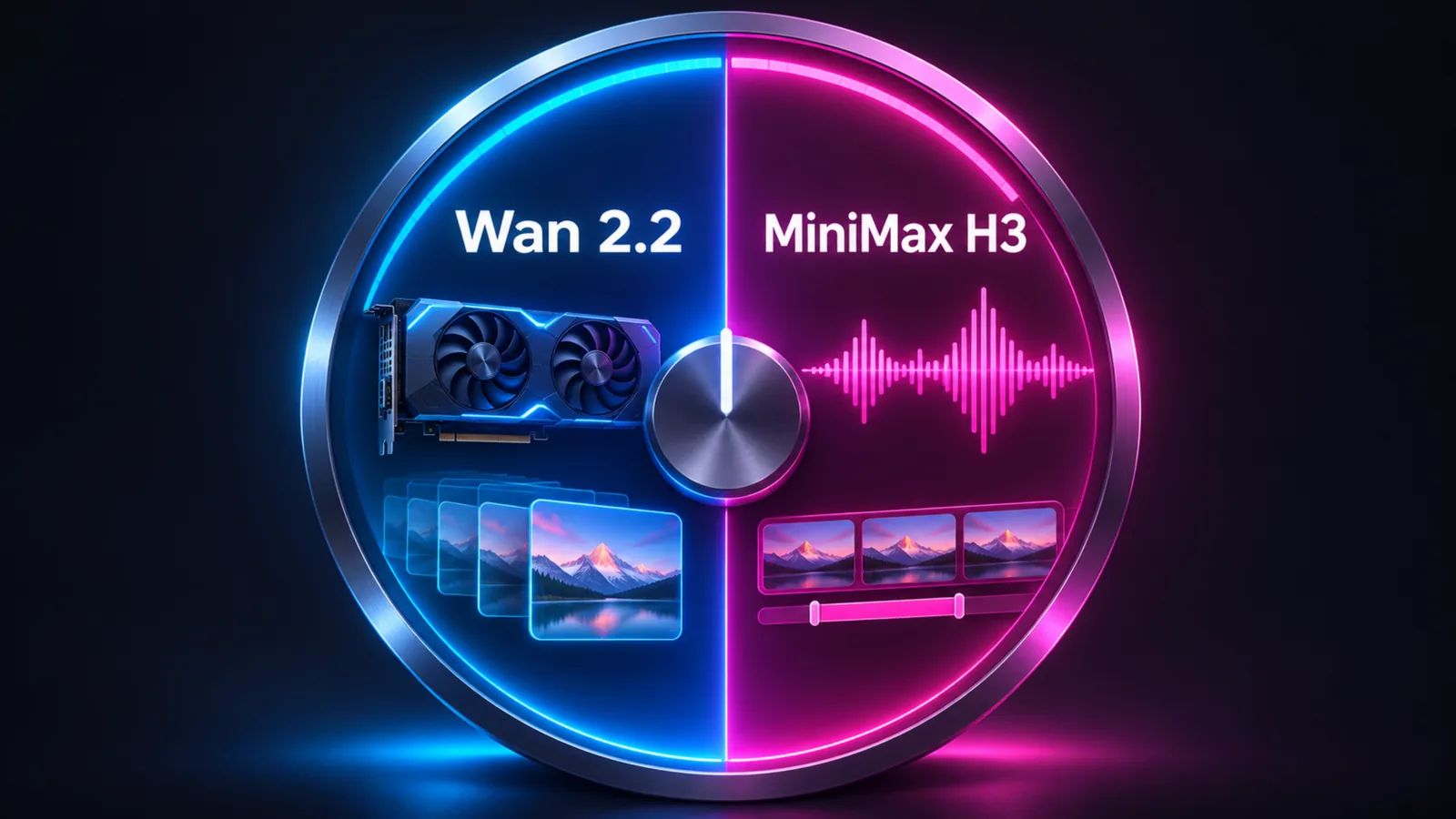
Wan 2.2 makes sense when its documented output path matches the available infrastructure. H3 is the stronger candidate when its short-clip format, native stereo audio, or reference workflows solve a specific production requirement. If fully local 2K processing is mandatory, confirm the availability of every H3 component instead of assuming that “optional 2K” means the entire official path is downloadable.
Total-cost-of-ownership worksheet
Collect one month of comparable workload data before committing to a major hardware purchase or subscription.
| Field | Your value |
|---|---|
| Requested usable outputs | V = ___ |
| Total attempts | A = ___ |
| Technically successful outputs | S = ___ |
| Accepted usable outputs | U = ___ |
| Average attempts per usable output | a = A ÷ U |
| Duration, resolution, fps, and audio requirement | ___ |
| Commercial subscription and fixed fees | ___ |
| Credits or generation purchases | ___ |
| Paid retries minus refunded credits | ___ |
| Storage and export fees | ___ |
| Owned GPU/workstation purchase cost | ___ |
| Hardware amortization period in months | ___ |
| GPU rental hours and hourly charge | ___ |
| Electricity consumed and local rate | ___ |
| Model and output storage | ___ |
| Transfer or egress charges | ___ |
| Initial setup hours | ___ |
| Monthly maintenance hours | ___ |
| Production and review labor hours | ___ |
| Value of operator time per hour | ___ |
| Support, interruption, and downtime cost | ___ |
| Current license or authorization cost, if applicable | ___ |
Calculate each path separately.
Commercial monthly cost
C_commercial = subscriptions + generation purchases + storage/export fees + paid retries + commercial workflow labor
Owned-local monthly cost
C_owned = hardware/workstation amortization + electricity + storage + software/services + maintenance + operator labor + downtime/support
Rented-local monthly cost
C_rented = GPU hours + transfer/egress + persistent storage + startup/download time + maintenance + operator labor + downtime/support
For every path:
Cost per usable output = monthly path cost ÷ U
Setup labor can be amortized over its expected useful period instead of being charged entirely to the first month, but it still belongs in the calculation.

A practical break-even framework
Let:
Vrepresent the required number of usable outputs per month.arepresent the average attempts per usable output.C_fixedrepresent recurring commercial fixed fees.C_generationrepresent the current commercial cost per normalized attempt.H_amortizedrepresent monthly hardware and workstation amortization.L_commercial(V)andL_local(V)represent workflow labor at volumeV.
Then:
Commercial(V) = C_fixed + (C_generation × a × V) + L_commercial(V)
Local(V) = H_amortized + GPU_rental(V) + electricity(V) + storage + maintenance + L_local(V)
Break-even occurs when:
Commercial(V) = Local(V)
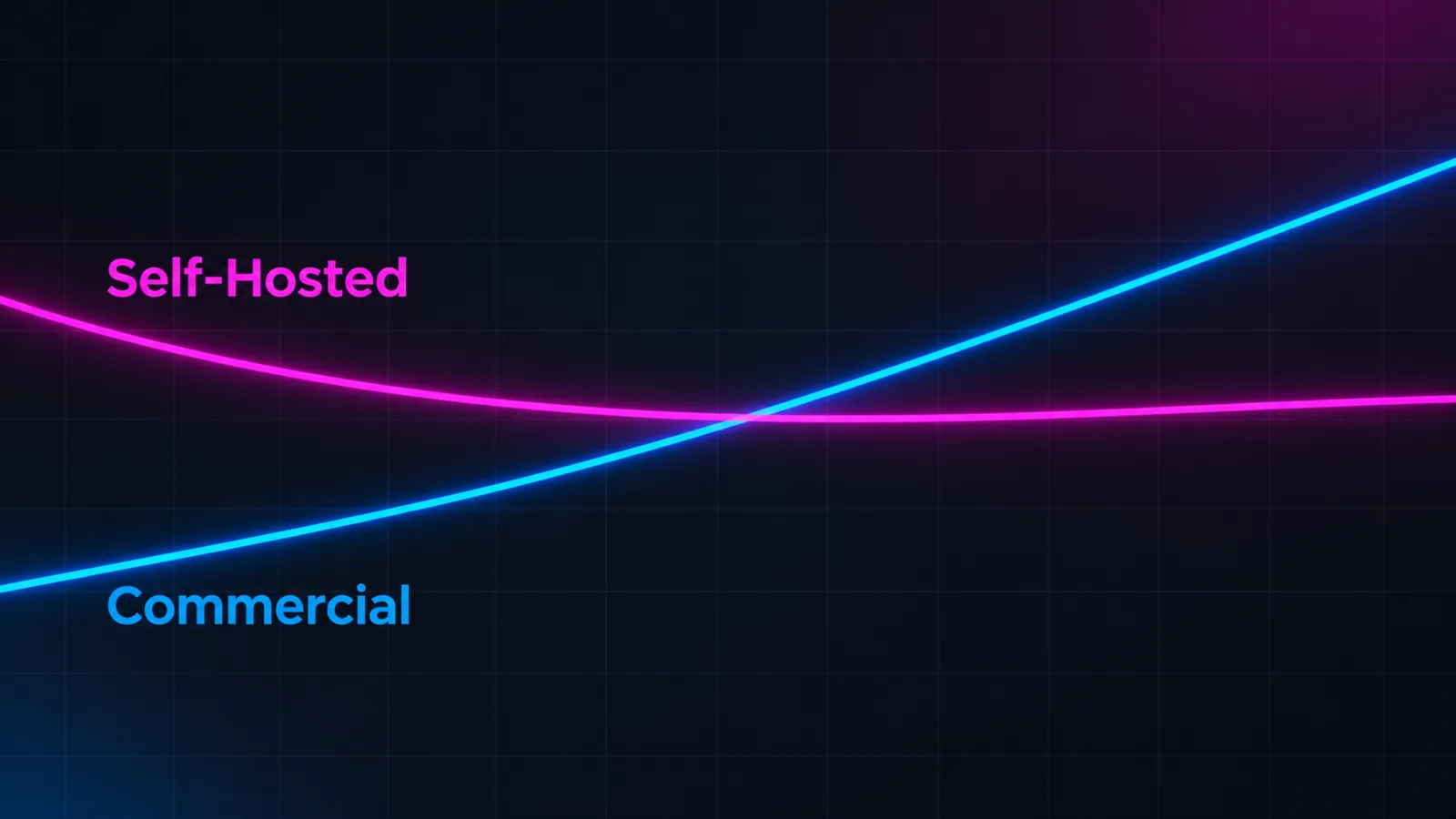
Only compare matched outputs when solving the equation. Duration, resolution, frame rate, audio, retry behavior, and acceptance criteria must be equivalent. A hosted service with a higher nominal generation price may still cost less per usable output if it produces acceptable results more consistently. A stable local workflow can become more economical at sustained volume when the task is repeatable and needs little intervention.
The decision rule
Choose a commercial service when generation is occasional, setup time is scarce, presets and customer support matter, or infrastructure management is unwanted. Part of the fee pays for convenience and transfers operational responsibility to the provider.
Investigate Wan 2.2 locally when the project needs a controllable 720p/24 fps T2V/I2V workflow, suitable hardware or affordable GPU rental is available, and someone can maintain the stack.
Investigate MiniMax H3 when 4–15-second output, native stereo audio, or its reference workflows fit the project. Confirm current local-component availability and the applicable license terms before deployment.
A hybrid workflow suits teams that benefit from hosted tools during rapid ideation but have enough predictable production to justify moving repeated tasks locally. Hosted services can handle experimentation and infrastructure spikes, while the local system processes standardized jobs with known operating costs and acceptance rates.
Before choosing a path, confirm that:
- Every option received the same input and deliverable.
- Retry and rejection rates were recorded.
- Privacy and deletion terms fit the material being processed.
- Licensing matches the territory and intended commercial or local use.
- The selected path has the lower total cost per usable output, not merely the lower advertised cost per attempt.
FAQ
What does an NSFW AI ranking actually measure?
It reflects ordering within a particular directory, category, methodology, information set, and review date. Rankings help with discovery but do not universally measure quality, privacy, trustworthiness, or suitability.
Why do so many directory listings look similar?
Many products cluster around AI chat, face swap, companions, image generation, and short video. Compact directory cards also conceal differences in limits, privacy, controls, reliability, and pricing.
Is the top-ranked site automatically the safest or best?
No. Test it against the intended task and inspect its current retention, deletion, billing, moderation, pricing, and support terms.
Is self-hosting always cheaper?
No. It can reduce long-term generation costs for technically capable, high-volume users. Hardware, rental, power, storage, retries, maintenance, downtime, and labor can make it more expensive for occasional workloads.
Can Wan 2.2 run on a consumer GPU?
The official Wan 2.2 repository documents TI2V-5B inference with at least 24 GB of VRAM and gives an RTX 4090 as an example. This demonstrates feasibility, not identical performance across all systems.
Is MiniMax H3 open source?
The accurate description is open-weight under the MiniMax H3 Community License. It is not an unrestricted OSI-style open-source release.
Do open weights permit unrestricted commercial use?
Not automatically. Weight availability and commercial permission are separate. Check H3’s current license, territory, deployment conditions, and any required authorization at the time of use.
Should retry costs be included?
Yes. Count consumed credits, GPU time, electricity, review time, and repair work. Subtract only refunds or restored credits that were actually received.
When does a hybrid workflow make sense?
Use it when hosted services speed up one-off tests or creative exploration, while a stable local workflow provides better economics and control for repeated, well-defined production.