Contents
- SK-Test at a glance
- October 24 rollout versus November 6 publication
- Who could access SK-Test, and where did it appear?
- What were Polaroid Beach, Snow Cabin, and Rooftop Neon?
- SK-Test was one part of a broader image update
- SK-Test, SK-Alpha, and the alpha prompt model were different labels
- What Soulkyn did not disclose or guarantee
- How to evaluate SK-Test if it appears in your account
- Could users keep SK-Test permanently?
SK-Test was a temporary Soulkyn image-model test available to Deluxe Plus members. Soulkyn did not announce it as a permanent product, and users could not save it as a Kyn’s default image model.
The dates refer to separate events. Soulkyn’s official changelog dates version 0.9.5 and the SK-Test rollout to October 24, 2026. A more detailed blog article followed on November 6, 2026. That later date marks the publication of the explanation, not the initial release of SK-Test.
Soulkyn expected the experiment to remain available for 15 days to one month. Eligible members could select the model in a Kyn’s image generator or enable SK-Test pictures through the settings for a particular chat. Version 0.9.5 also added more control over in-chat picture regeneration, saved image instructions, and picture ratings.
SK-Test at a glance
| Question | Documented answer |
|---|---|
| What was it? | A temporary Soulkyn image-model test |
| Who received access? | Deluxe Plus members |
| When did it roll out? | October 24, 2026, with Soulkyn v0.9.5 |
| When was the explanatory article published? | November 6, 2026 |
| Where could users select it? | In a Kyn’s image generator or through chat settings |
| How long was the test expected to run? | Between 15 days and one month |
| Could it become a Kyn’s saved default? | No |
| Was permanent availability promised? | No |
| Were architecture and independent benchmarks published? | Not in the disclosed materials |
The name “SK-Test” described a model under evaluation, rather than a new permanent tier benefit. Deluxe Plus membership provided access during the experiment without creating an ongoing subscription entitlement to the model.
October 24 rollout versus November 6 publication
The two dates mark different stages of the release:
-
October 24, 2026: Soulkyn’s v0.9.5 changelog recorded the SK-Test rollout and documented eligibility, access routes, the expected duration, and the restriction on saving it as a default model.
-
November 6, 2026: Soulkyn published a more reader-friendly explanation of the experiment and named several preset-scene examples.
The November article publicized and explained SK-Test, while the primary product record places its rollout almost two weeks earlier. An independent industry recap published on October 30 also placed the experiment within the October update cycle, consistent with the changelog chronology.
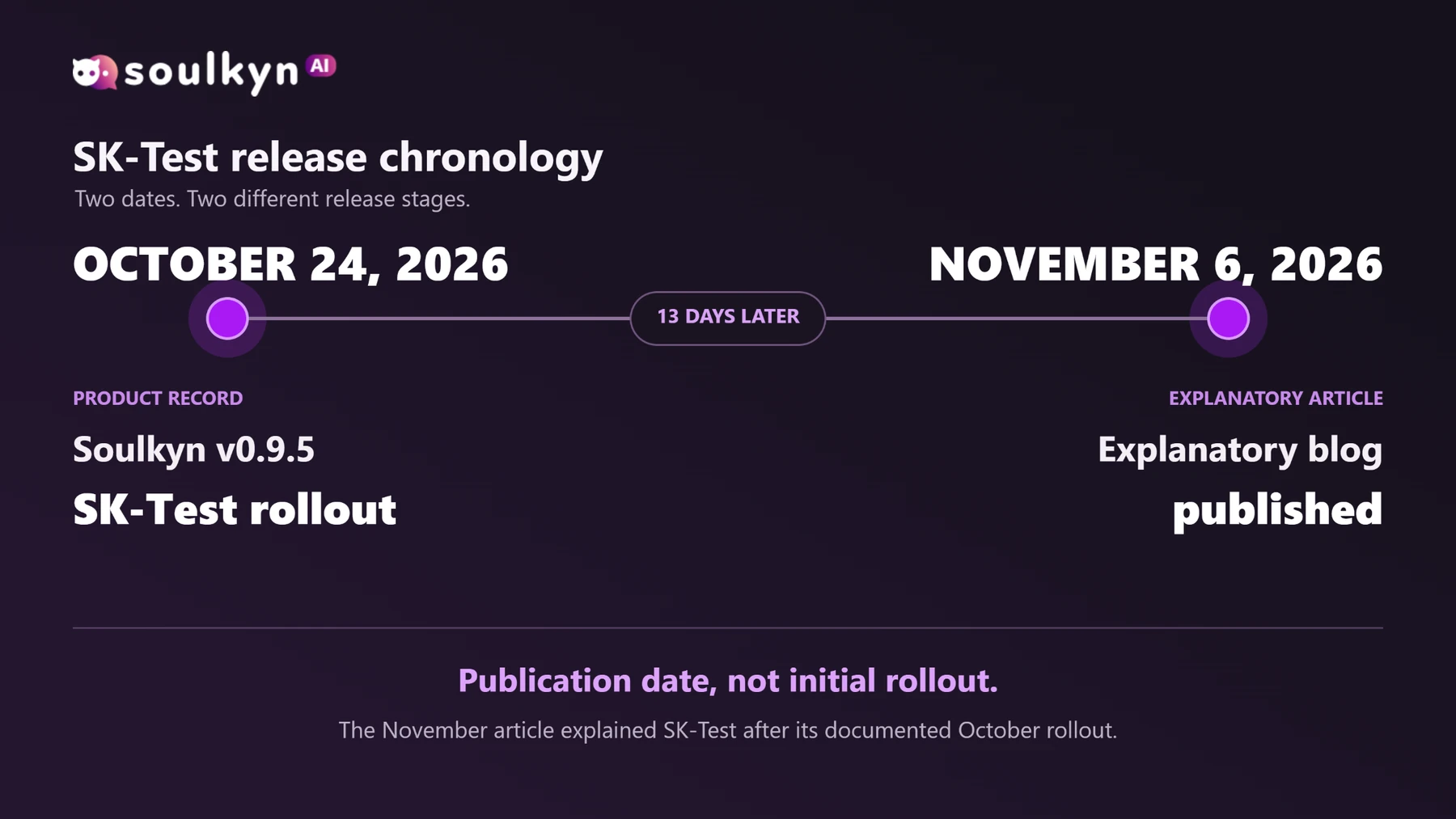
Soulkyn documented the SK-Test rollout on October 24, 2026; the November 6 date marks the later explanatory article, not the initial release.
Who could access SK-Test, and where did it appear?
Soulkyn limited SK-Test to Deluxe Plus members. The changelog described two ways to access it:
- Open a Kyn’s image generator and select SK-Test as the model for that generation.
- Open the relevant conversation’s chat settings and enable SK-Test pictures for images produced in that chat.
The image generator provided direct model selection. The chat setting applied SK-Test to pictures generated within a conversation.
Neither method allowed users to make SK-Test the permanent default in a Kyn’s saved settings. Members could use the experimental model while it was available, but they could not configure a Kyn to depend on it indefinitely. This prevented a saved character setup from silently relying on a model Soulkyn might later withdraw.
Soulkyn gave a flexible test window of 15 days to one month, with retention depending on the model’s performance. The company did not promise availability for the full month or continued access afterward.
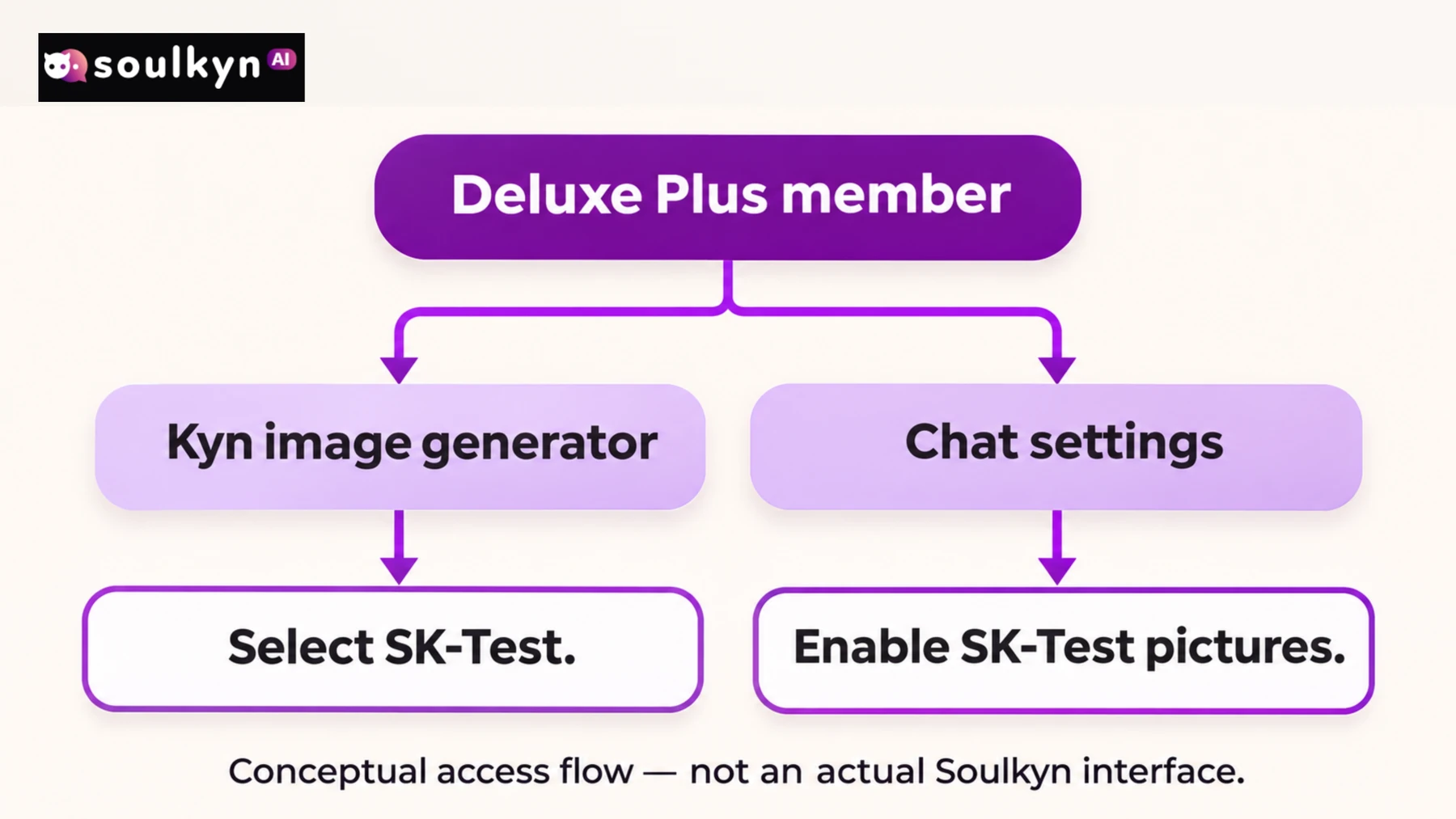
The two documented SK-Test access routes for eligible Deluxe Plus members; this is a conceptual diagram, not a Soulkyn interface screenshot.
What were Polaroid Beach, Snow Cabin, and Rooftop Neon?
Soulkyn’s November 6 article named Polaroid Beach, Snow Cabin, and Rooftop Neon as preset-scene examples offered around the SK-Test experiment. The article mentioned both SFW and NSFW scene options.
A scene preset usually supplies a prepared combination of setting, mood, composition, or stylistic instructions. It gives users a recognizable starting point without requiring them to construct every prompt element manually. Someone might select a named preset, for example, and then add instructions for the character’s clothing or pose.
The names do not reveal their exact appearance, included prompt components, or ability to preserve a Kyn’s identity. Soulkyn did not publish a controlled comparison showing the same character and instructions rendered by SK-Test and every regular model.
These were documented preset-scene examples, but their precise composition, exclusivity, quality, and consistency were not established. One polished preset result would not show whether the model could repeat it across different poses, lighting conditions, or regeneration instructions.
SK-Test was one part of a broader image update
Version 0.9.5 introduced SK-Test alongside several changes to in-chat pictures. These controls affected how users could direct image generation, although they were not all features of the temporary model itself.
Regeneration instructions
When regenerating a picture in chat, users could include an instruction describing the desired change. A request might preserve the same character while changing the background, outfit color, expression, or framing.
This gave users more direction than requesting another random variation. The result still depended on whether the system could change the requested element without unnecessarily altering the character or the rest of the scene. The same behavior can be assessed using the principles in NSFWAITool’s guide to AI image prompt control.
“Save for this chat”
The Save for this chat option carried an instruction into later pictures in the same conversation. A user could preserve a preference for the current chat instead of entering it again with every generation, then disable it when it was no longer useful.
For example, someone could save an instruction to maintain a particular jacket or photographic framing across several images. The setting did not guarantee perfect continuity, but it made failures easier to identify: if later pictures ignored the saved instruction, the problem was clearer than it would be if every prompt contained different guidance.
Saving a chat instruction and saving SK-Test as a Kyn’s default model were separate actions. The first preserved guidance inside one conversation. Soulkyn did not permit the second, which would have assigned the experimental model permanently.
Picture ratings
Soulkyn also added thumbs-up and thumbs-down controls for pictures generated in chat and through a Kyn’s image generator. These ratings supplied feedback on individual outputs.
According to Soulkyn, positive votes for in-chat pictures increased from 51% to 64%. That equals an increase of 13 percentage points, or approximately 25.5% relative to the original 51% rate.
This was a Soulkyn-reported product metric, not an independent benchmark. The company associated the improvement with an alpha model trained to write prompts for in-chat pictures; the disclosed information did not show that SK-Test alone caused the increase. The announcement also did not fully document the voting population, sample size, evaluation period, or controlled comparison method.
SK-Test, SK-Alpha, and the alpha prompt model were different labels
Three similar terms referred to different parts of Soulkyn’s image system:
- SK-Test was the temporary image model offered to Deluxe Plus members.
- SK-Alpha was another named model in Soulkyn’s changing image lineup and later received its own consistency-related update.
- The alpha prompt-writing model generated or improved prompts for in-chat pictures. Soulkyn associated this component with the increase in positive votes.
A metric tied to the prompt-writing system does not automatically measure SK-Test’s performance. An update to SK-Alpha likewise provides no evidence about SK-Test’s architecture or whether the two models used the same underlying system.
What Soulkyn did not disclose or guarantee
The rollout documentation gave clear information about access and product behavior, but relatively little technical detail about the model.
| Documented | Not fully disclosed or guaranteed |
|---|---|
| Deluxe Plus eligibility | Model architecture |
| Two access paths | Training data or data composition |
| A 15-days-to-one-month test window | Standardized benchmark results |
| Named preset-scene examples | Controlled comparison protocol |
| No saved-default support | Permanent retention |
| Regeneration and rating controls | Continued access for every account |
Soulkyn did not disclose a benchmark suite covering instruction adherence, anatomy, character consistency, speed, or preference results under controlled conditions. The available technical details were also insufficient to determine whether SK-Test was a new foundation model, a fine-tune, a different pipeline configuration, or another kind of experimental deployment.
Temporary releases can help a company collect product feedback before making a final decision. Even so, a model name and subscription tier provide no direct evidence of comparative performance.
Soulkyn’s current image-generation overview names several regular models without listing SK-Test. This makes present access uncertain, although it does not prove that the option disappeared from every account at the same time. Subscribers should check the current model selector, the relevant chat settings, and newer official changelog entries before assuming the historical test remains available.
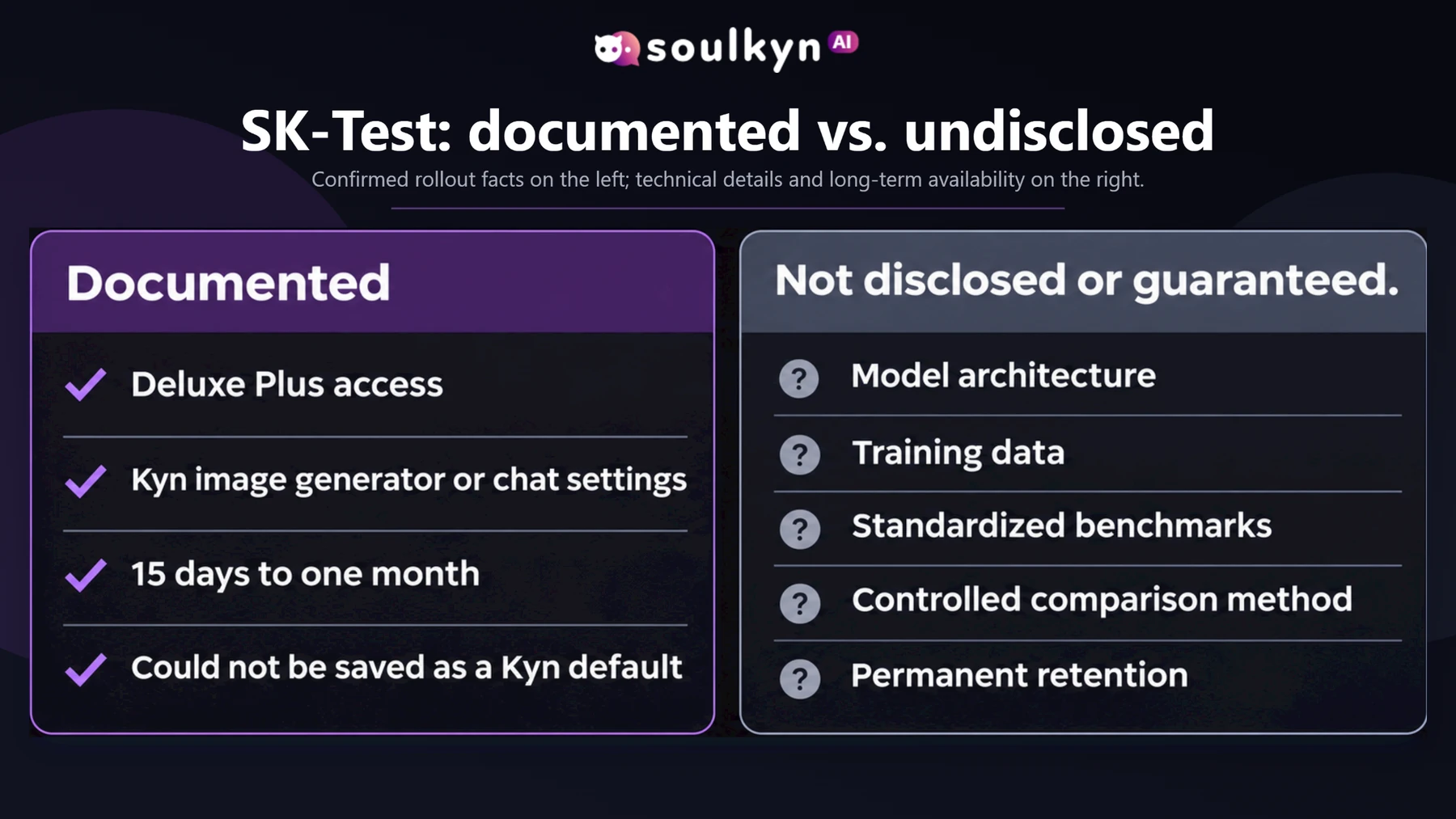
The rollout documented access and product constraints, but it did not establish SK-Test’s technical identity, benchmark performance, or permanent retention.
How to evaluate SK-Test if it appears in your account
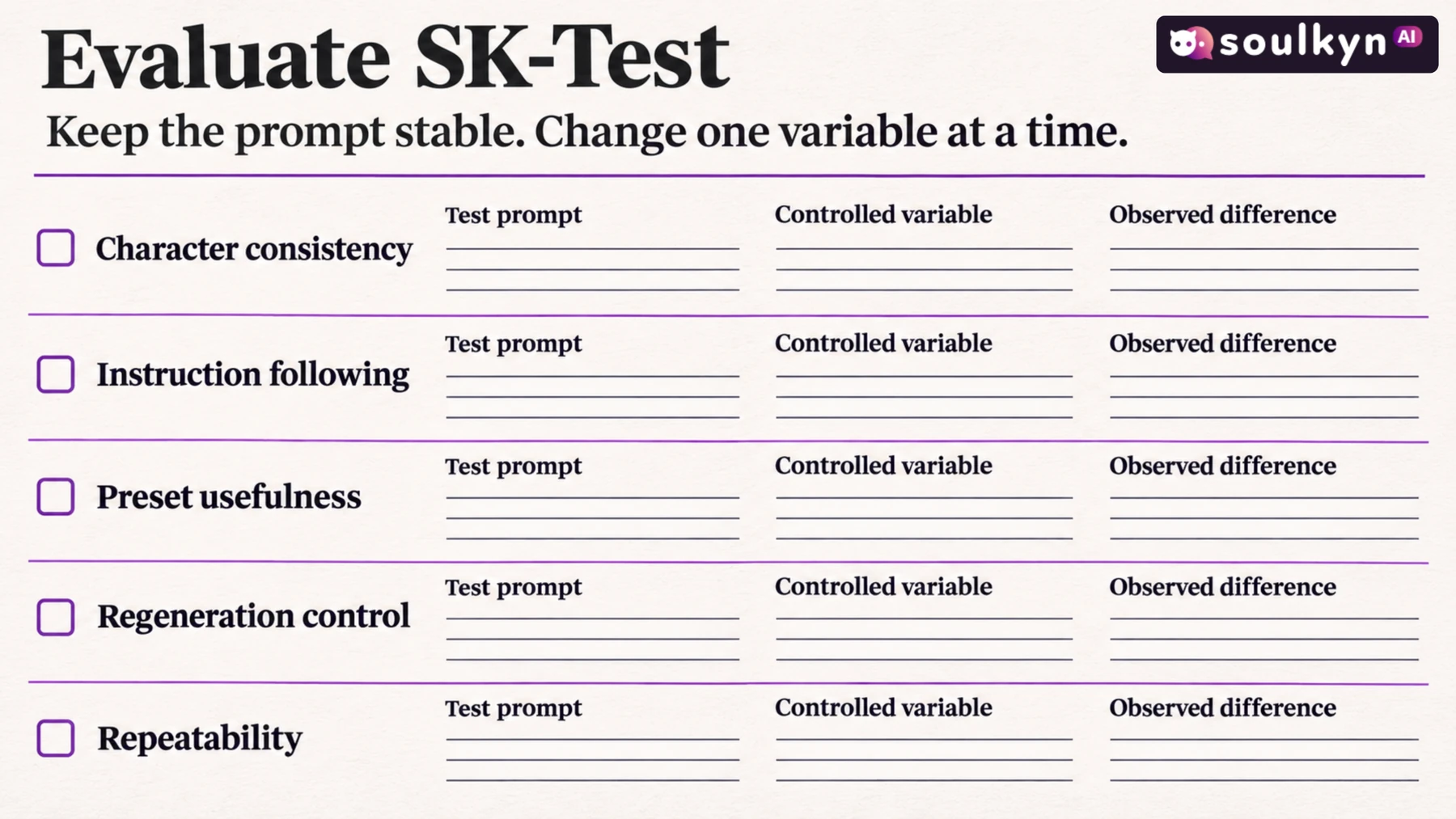
A useful comparison keeps the prompt stable and changes one variable at a time. The goal is to find out whether the model behaves predictably across repeated tasks, not simply whether it can produce one attractive image.
-
Create a character reference. Record a few stable traits, such as hairstyle, face shape, clothing color, and one distinctive accessory. Generate the same adult fictional character in several scenes and note which traits drift. NSFWAITool’s character-consistency buyer checks offer a more detailed comparison method.
-
Test instruction following. Start with a simple prompt, then request one precise change during regeneration, such as replacing the background while preserving the pose and clothing. Check whether the requested change occurs and whether unrelated details also shift.
-
Evaluate presets as starting points. Try a named scene with minimal additions, then repeat it with one character-specific instruction. Assess whether the preset remains useful after customization instead of judging only its initial presentation.
-
Test saved chat instructions. Save one measurable preference, generate several pictures, and record whether it persists. Disable the instruction afterward and check whether later pictures stop following it.
-
Check repeatability. Repeat comparable prompts instead of continually adding corrective language. An overloaded prompt can contain conflicting instructions, making it difficult to tell whether the model or the prompt caused a failure.
-
Separate generation from editing. Chat regeneration produces another version under revised guidance. A dedicated image editor may provide more targeted inpainting, restoration, or transformation tools. Users who need post-production rather than another generated variation can compare dedicated NSFW AI editing tools.
Keep a short log of the prompt, selected model, preset, saved instructions, and visible differences. This record is more useful for comparison than an isolated thumbs-up or thumbs-down, especially if the temporary model later disappears.
Could users keep SK-Test permanently?
Soulkyn did not promise permanent retention, and users could not save SK-Test as a Kyn’s default. The documented test period was 15 days to one month, with continued availability dependent on the experiment’s outcome.
As of November 18, 2026, the public overview of regular models did not name SK-Test. Confirming its current status therefore requires checking an eligible account or a newer official product update. Historical Deluxe Plus access does not establish present availability.
SK-Test was a documented, time-limited Soulkyn image-model experiment rolled out on October 24, 2026. The November 6 article added explanation and preset examples; it was not the launch announcement. Soulkyn disclosed the model’s access paths and restrictions, while leaving its architecture, independent performance, permanent retention, and continuing availability unconfirmed. This matches NSFWAITool’s broader review methodology: publisher announcements can document a feature’s intended behavior, while current access and comparative quality require present product confirmation.